Best for · By industry

Best tablets for utilities in 2026

Utility sites mix very different hazardous areas: sewage and biogas in wet wells and digesters, natural gas at pressure-reduction stations, hydrogen in battery rooms and combustible dust where fuel is handled. Where an area is classified Zone 1, a tablet needs Zone 1 or Zone 0 certification under the scheme your region uses, such as ATEX or the NEC and CEC, and a Zone 1 tablet also covers Zone 2. Beyond the certificate, utility work is often done alone, outdoors and in winter, so what matters is how a tablet raises an alarm, how it copes with cold and charging, and how it fits the inspection and asset systems your crews already use. These are our picks for each kind of utility work, from lone working and gas networks to asset surveys, remote rounds and sites with Zone 0 areas.

At a glance

The top 5 compared

The top 5 compared: Best tablets for utilities in 2026
RankTabletBest forCertified forLone workerCharging in the zoneNorth AmericaSecurity updates
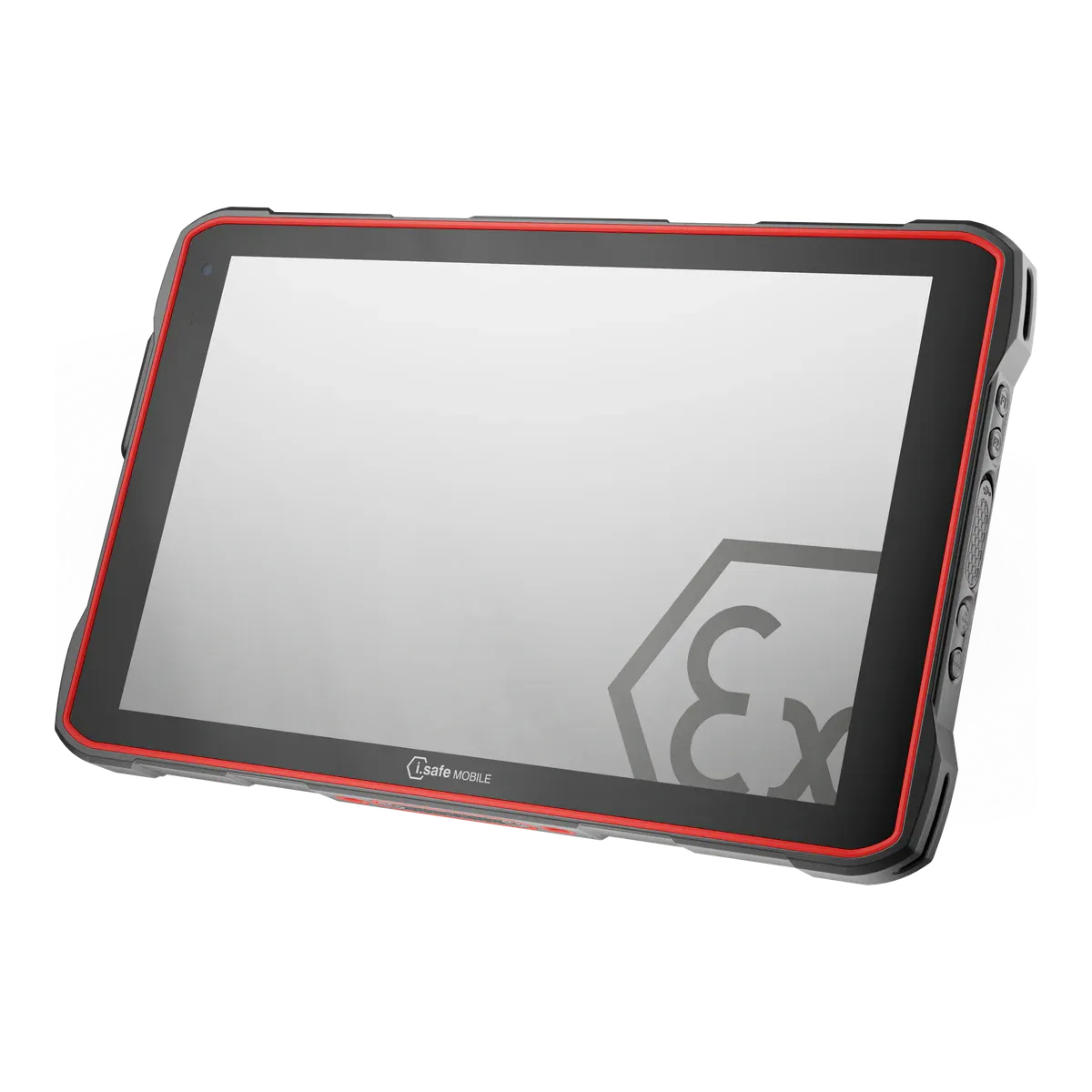
1i.safe MOBILE IS940.1Best overall for utilitiesZone 1/21Via app (red key assigned to a lone-worker application; third-party app)AllowedClass I Division 1Until Q4 2032
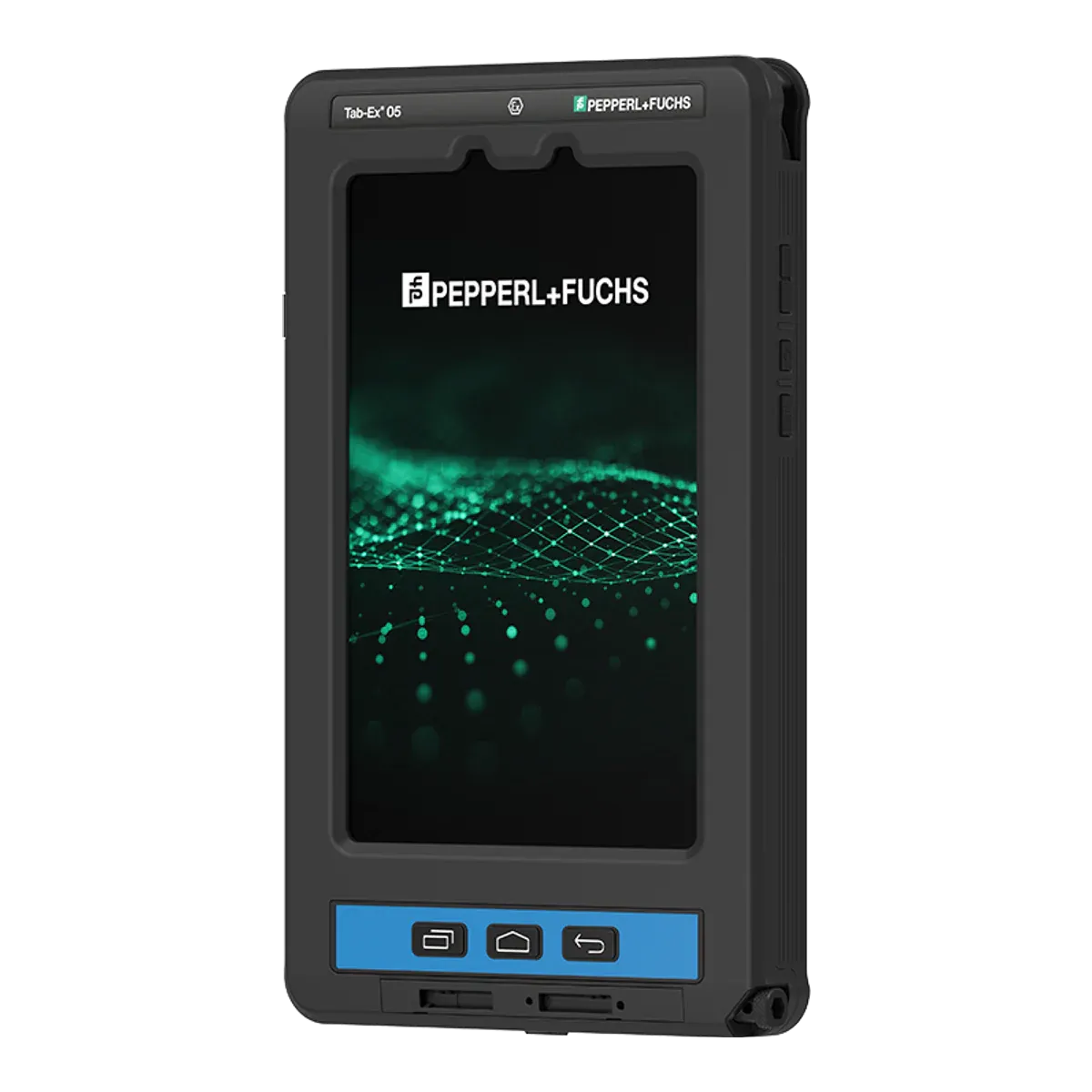
2ecom Tab-Ex 05 DZ1Best for gas networksZone 1/21Via app (key assigned to alarm/emergency; third-party or ecom lone-worker solution)Outside the zone onlyClass I Division 1Q1 2032 (maker’s statement)
3Xshielder iPad Pro 11-inchBest for asset inspection and site surveysZone 1/21Via app (third-party lone-worker apps)Not verifiedNot in our data7–8 years (based on previous iPad Pro support)
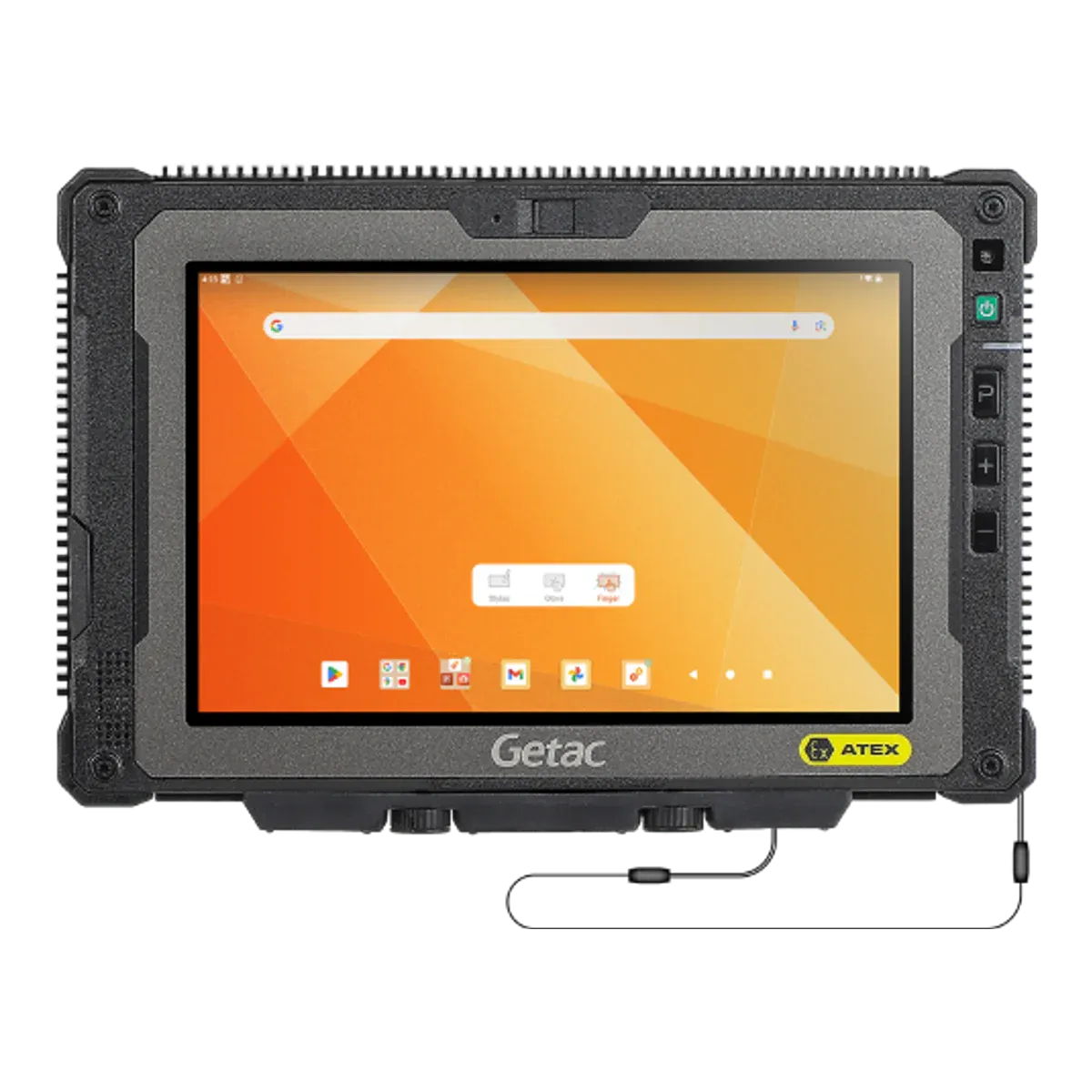
4Getac ZX80-EXBest for rounds at remote Zone 2 sitesZone 2/22Not verifiedOutside the zone onlyNot in our dataUntil February 2029 (unconfirmed)
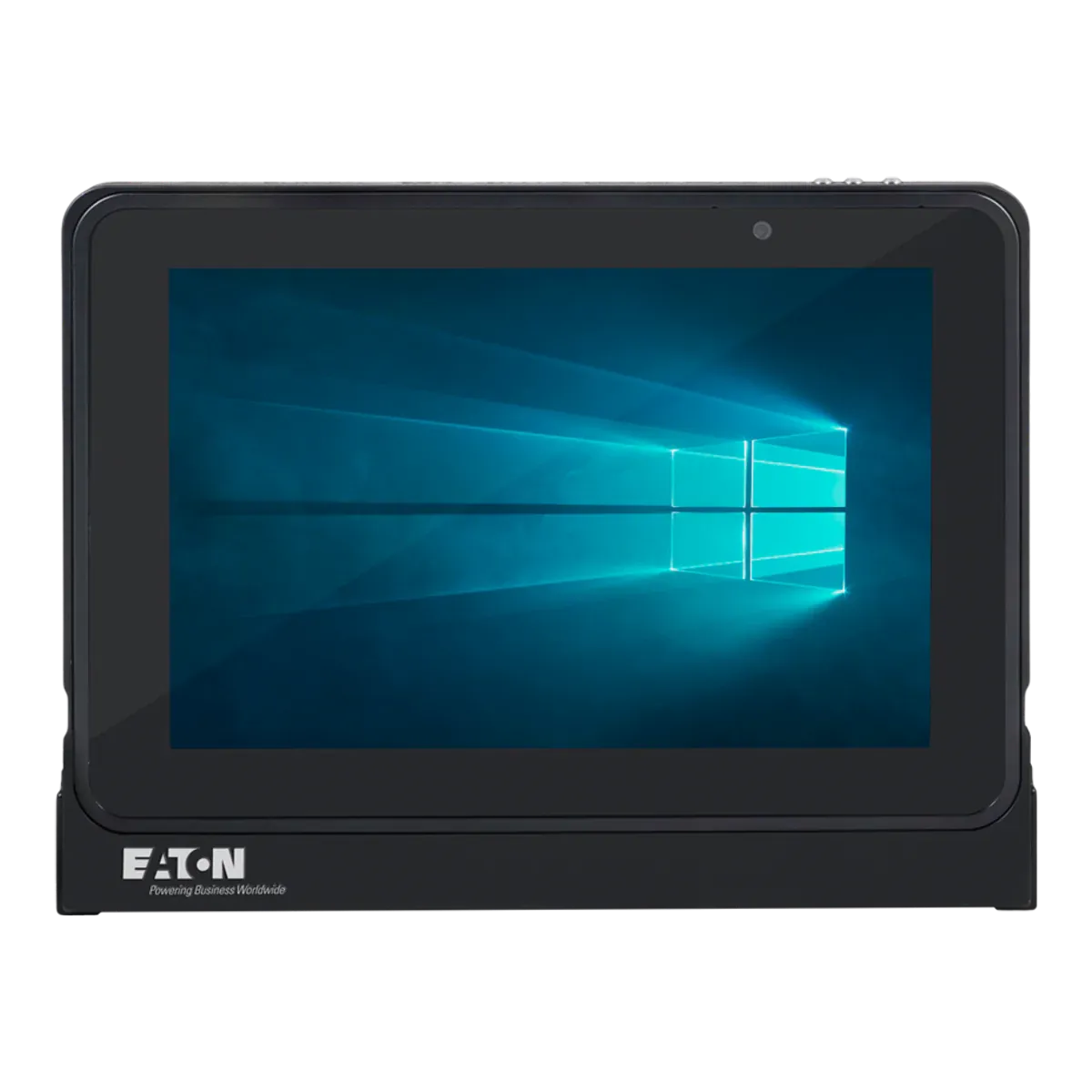
5Eaton MTL GECMA IS Tablet PCBest for sites with Zone 0 areasZone 1/21Not verifiedOutside the zone onlyClass I Division 1Until October 2034 (unconfirmed)

Four of the five are certified for Zone 1 and dust Zone 21, which also covers Zone 2 and Zone 22; the Getac ZX80-EX is a Zone 2/22 tablet. Prices are on request.

The ranking

Our picks for utilities

  1. Best overall for utilities

    i.safe MOBILE IS940.1

    i.safe MOBILE · Dedicated Ex tablet

    Certified for
    Zone 1/21
    Marking
    II 2G Ex ib IIC T4 Gb
    Certification
    ATEX + IECEx, Class I Division 1
    Operating system
    Android 14
    Security updates
    Until Q4 2032
    Weight
    1059 g

    Much utility field work is done alone: a technician at an unmanned pumping station, a wet well or a gas governor at the end of a long drive. For that work the i.safe MOBILE IS940.1 is the tablet we would issue first. It has a freely programmable red key that i.safe suggests for SOS or lone-worker use, so raising an alarm takes one press with a gloved hand once a lone-worker app is assigned to it. i.safe does not supply that app, and the lone-worker function in our data is delivered through a third-party application. The 10.1-inch display is usable with gloves, the tablet is IP68 and MIL-STD-810H, and a 50 MP camera, NFC and 5G cover photos of assets, tag reads and links back to the control room.

    The approvals travel well across a utility’s estate. It is intrinsically safe to Ex ib IIC T4 for Zone 1/21 with dust group IIIC, under ATEX and IECEx, with Class I Division 1 (Groups A to D) and Class II Division 1 (Groups E to G) listings for North America and national approvals including Inmetro, Japan-Ex, PESO and South Africa. Its standout feature is charging: it may be charged in the hazardous area, and its IECEx certificate also covers the IS-DS940.1 docking station that i.safe lists for charging there, so a tablet can stay on a dock at a depot or a pumping station. i.safe states security updates until Q4 2032.

    The charging has conditions: the certificate limits it to 0 °C to +45 °C, so winter charging needs a warm room, and the USB-C cover may only be opened outside hazardous areas. The cold floor is −20 °C, as it is for every current Zone 1 tablet in our data. There is no UKEX certificate in our data, so a Great Britain site relies on ATEX. It is T4, which suits most gases but not substances that ignite below 135 °C, it is not certified for Zone 0, it weighs 1,059 g, and its user-replaceable battery may only be changed outside the hazardous area. Our data holds no battery-life figure for it, so ask i.safe for runtime figures before you size a fleet.
    View full details
  2. Best for gas networks

    ecom Tab-Ex 05 DZ1

    ecom (Pepperl+Fuchs) · Dedicated Ex tablet

    Certified for
    Zone 1/21
    Marking
    II 2G Ex db ia IIC T6 Gb
    Certification
    ATEX + IECEx, Class I Division 1
    Operating system
    Android 16
    Security updates
    Q1 2032 (maker’s statement)
    Weight
    1122 g

    Gas networks put crews in front of pressure-reduction stations, governors and metering skids, often alone and sometimes in North America, where the site is classified in Divisions. The ecom Tab-Ex 05 DZ1 is the tablet we would look at first for that. It carries a Class I Division 1 listing (Groups A to D at T6, with Class II Division 1 and Class III as well) alongside ATEX and IECEx for Zone 1/21 at IIC T6 with dust group IIIC, so one tablet serves both Zone-classified and Division-classified sites. Natural gas is mainly methane, gas group IIA, so IIC and T6 are headroom on most networks rather than a need, but they cover hydrogen and gases that ignite between 85 °C and 135 °C if your network carries them.

    It is a flameproof (Ex db ia) tablet with a programmable function key that can be set to push-to-talk, an emergency call or an alarm, and a lone-worker app, from a third party or from ecom, can be assigned to it. IP68, MIL-STD-810H, glove and wet-hand touch, a camera-free option and an S Pen in the box suit field use, and ecom quotes up to 14 hours of battery life. ecom states security updates until 2032, a date our data flags as unconfirmed.

    The limits: it has no UKEX certificate in our data, so Great Britain sites rely on ATEX. The battery is not user-replaceable and charging happens outside the hazardous area, unlike the i.safe pick above. It is 8 inches and 600 nits, weighs 1,122 g, and the certificate says not to use it near processes that generate high electrostatic charges.

    View full details
  3. Best for asset inspection and site surveys

    Xshielder iPad Pro 11-inch

    Xshielder · Certified Ex case for the iPad Pro 11-inch (M5)

    Certified for
    Zone 1/21
    Marking
    II 2G Ex db IIC T6 Gb
    Certification
    ATEX
    Operating system
    iPadOS 27
    Security updates
    7–8 years (based on previous iPad Pro support)
    Weight
    1350 g (including the tablet)

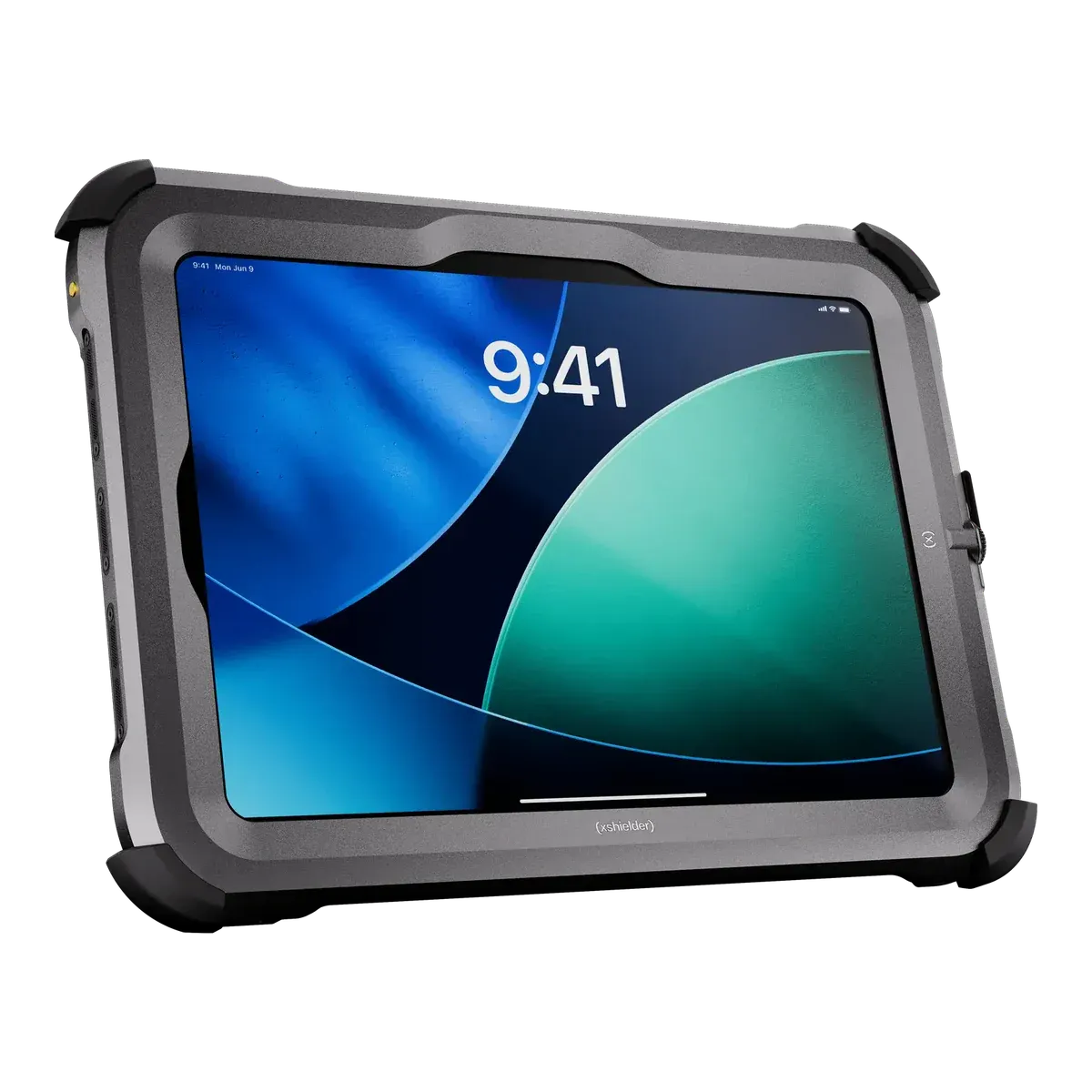
    For engineers who inspect assets, survey sites and work from drawings, the Xshielder iPad Pro 11-inch has the largest screen of the five and the only LiDAR scanner. Inside Xshielder’s flameproof (Ex db) cover is an iPad Pro 11-inch (M5) with an 11-inch, 1,000-nit Ultra Retina XDR display, 12–16 GB of memory, a 12 MP rear camera with 4K ProRes video and a LiDAR scanner for measuring a chamber, a plant room or a pipe route. The 12 MP front camera supports video calls to a remote expert, and stylus input, USB-C charging and data, and audio all work through the cover, as Xshielder has confirmed. It runs the same iPadOS inspection and survey apps as any iPad, and security support is expected for 7–8 years (based on previous iPad Pro support).

    On certification it covers every gas group and conductive dust at the strictest temperature class: Ex db IIC T6 for Zone 1 and Ex tb IIIC T80 °C for dust Zone 21, under ATEX.

    The limits matter on utility sites. It is ATEX only, with no IECEx or North American listing yet. It is rated to +45 °C, the lowest upper limit of the five, so check hot sites. It weighs 1,350 g, and IP65 is pending testing, so do not plan around its water resistance. There is no programmable hardware key, so lone-worker and alarm functions run through apps on the screen. The battery is not user-replaceable, and charging inside the hazardous area is not confirmed, so plan to charge it outside. The Ex rating of Xshielder’s stylus is not stated.

    View full details Request a price
  4. Best for rounds at remote Zone 2 sites

    Getac ZX80-EX

    Getac · Rugged tablet, Ex version

    Certified for
    Zone 2/22
    Marking
    II 3G Ex ic op is IIC T4 Gc
    Certification
    ATEX + IECEx
    Operating system
    Android 15
    Security updates
    Until February 2029 (unconfirmed)
    Weight
    780 g

    Where a remote site is classified Zone 2 and the day is mostly rounds, readings and photos, a light tablet beats a heavy one. At 780 g the Getac ZX80-EX is the lightest of the five, with an 8-inch, 1,000-nit display for reading in daylight, IP67, a 1.8 m drop rating and MIL-STD-810H. It has a 16 MP rear camera, 12 GB of memory on a Qualcomm QCS6490 running Android 15, optional 4G or 5G and an optional dedicated GPS, and an optional 1D/2D imager and NFC for asset tags.

    It is intrinsically safe to Ex ic op is IIC T4 with dust group IIIC (T130 °C) for Zone 2/22 under IECEx, with an ambient range of −21 °C to +55 °C.

    It is a Zone 2/22 tablet only, so it is no use in a Zone 1 area. Our data holds an IECEx certificate but no published ATEX certificate and no UKEX certificate. It has three programmable buttons but lists no alarm key or lone-worker function, so a lone worker would depend on an app. Getac’s security-update date of February 2029 is for the standard ZX80, and Getac lists no separate date for the EX version, so we treat it as unconfirmed. Charging and battery changes happen outside the hazardous area, and glove touch is not stated.

    View full details
  5. Best for sites with Zone 0 areas

    Eaton MTL GECMA IS Tablet PC

    Eaton · Dedicated Ex tablet

    Certified for
    Zone 1/21
    Marking
    II 1GD Ex ia IIC T4 Ga
    Certification
    ATEX + IECEx, Class I Division 1
    Operating system
    Windows 11 IoT Enterprise
    Security updates
    Until October 2034 (unconfirmed)
    Weight
    1430 g

    Some utility sites have areas classified Zone 0, such as the inside of tanks and process vessels, and one tablet for the whole job is simpler than swapping devices at a boundary. The Eaton MTL GECMA IS Tablet PC is the pick for that. It is intrinsically safe to Ex ia IIC T4 Ga for Zone 0 and Zone 1 under ATEX and IECEx, and it is certified for Zone 0 only when used inside the case Eaton supplies (the certificate names carry case GEC-ATP-CC-01 and cites a friction hazard).

    It is also the Windows option: Windows 11 IoT Enterprise on x86 with a 10.1-inch 2560 × 1600 display, a 49.68 Wh battery with a typical 12 hours (Eaton’s figure), NFC and a camera-free version. Its North American listing is Class I Division 1 (Groups C and D only) and Class I Zone 0 AEx ia IIB, so in North America it does not cover acetylene or hydrogen, where the IECEx and ATEX certificates cover gas group IIC.

    The limits: it weighs 1,430 g, the heaviest of the five, the display is 540 nits, and the battery is not user-replaceable and is charged outside the hazardous area, with no accessories to be used inside it. The processor is an Intel quad-core Atom, so check your own Windows software runs well on it. Our data lists no programmable alarm key or lone-worker function for it. IP67 appears in the ATEX marking printed in Eaton’s manual but not in the IECEx certificate, and the October 2034 security-update date is Microsoft’s end date for Windows 11 IoT Enterprise LTSC 2024, an edition Eaton does not confirm, so neither counts towards rank.

    View full details

Method

How we ranked them

Rank 1 goes to the Zone 1 tablet best set up for lone working, the defining risk in utility field work, on approvals that suit the widest range of sites. That means a freely programmable red key for a lone-worker app, Zone 1/21 certification under ATEX and IECEx, a Class I Division 1 listing, IP68, charging allowed inside the zone and security updates confirmed to Q4 2032. The ecom Tab-Ex 05 DZ1 also has a programmable alarm key, IP68 and a Division 1 listing, so what puts the i.safe MOBILE IS940.1 ahead is the rest of the collection: it is the only one of the five that may be charged in the zone, and its update date is confirmed where ecom’s is a statement we could not verify. In both cases the lone-worker app is a third-party product, not part of the tablet.

Positions 2 to 5 are the best choices for four other kinds of utility work: gas networks, asset inspection and site surveys, rounds at remote Zone 2 sites, and sites that also have Zone 0 areas. Because prices are on request for every brand, cost does not change the order. A Zone 0 rating is not required for Zone 1 work, so it does not count towards rank.

The order follows the certificates and the alarm and lone-worker features each maker documents, and it would change if another Zone 1 tablet matched these approvals and could also be charged in the zone.

Every figure comes from certificates, declarations of conformity and manufacturer datasheets, and the same rules apply to every brand. Read how we rate or see the disclosure.

Before you buy

What a utilities tablet must show

Your site’s hazardous area classification decides which of these matter, and a utility often has Zone 0, Zone 1 and Division areas across its estate. Confirm each with your safety engineer, then read the certificate for the exact model you plan to buy.

  • Alarm and lone-worker app

    Check for a hardware key that can raise an alarm with a gloved hand, and for a lone-worker app that runs on the tablet’s operating system. The i.safe MOBILE IS940.1 and the ecom Tab-Ex 05 DZ1 have programmable keys, but neither comes with a lone-worker app in our data.

  • Gas group and temperature class

    Biogas is mostly methane (gas group IIA), while battery rooms can release hydrogen (IIC); your assessment gives the group for each area, and all five picks are IIC, which covers every gas group. T4 (135 °C) suits most gases, but choose a temperature class whose limit sits below the ignition temperature of the substances on your site.

  • Zone 0 and Division areas

    Tanks and gas holders can be Zone 0, and the Eaton MTL GECMA IS Tablet PC may only be used there inside its supplied case. North American sites use Classes and Divisions, so check the Group on the listing as well as the Division: the Eaton’s covers Groups C and D only.

  • Cold, heat and charging temperature

    Every current Zone 1 tablet in our data is rated down to −20 °C, but the upper limits differ: +55 °C on the i.safe, ecom and Eaton picks and +45 °C on the Xshielder iPad Pro 11-inch. The i.safe MOBILE IS940.1’s charging is limited to 0 °C to +45 °C.

  • Charging and battery changes

    Most certificates require charging and battery changes outside the hazardous area. Of the five picks, only the i.safe MOBILE IS940.1 may be charged inside it, on its dock and within its conditions.

  • Certification scheme

    Great Britain accepts ATEX-certified equipment, and none of the five picks has a UKEX certificate in our data. IECEx and North American listings vary: the Xshielder iPad Pro 11-inch is ATEX only so far, and the Getac ZX80-EX has an IECEx certificate but no published ATEX certificate.

More choice

Other Zone 1 tablets on sale

Filter all Zone 1 tablets
Other current tablets certified for Zone 1, in alphabetical order
TabletTypeCertified forTemperature classCertificationNorth AmericaWeight
Atexxo Zone 1 Galaxy Tab Active5Converted tabletZone 1/21T6 (≤ 85 °C)ATEX + IECExNot in our data940 g
Atexxo Zone 1 iPad mini 6Converted tabletZone 1/21T4 (≤ 135 °C)ATEX + IECExClass I Division 2990 g
Atexxo Zone 1 iPad mini 7Converted tabletZone 1/21T4 (≤ 135 °C)ATEX + IECExClass I Division 2990 g
i.safe MOBILE IS930.1Dedicated Ex tabletZone 1/21T4 (≤ 135 °C)ATEX + IECEx + UKEXClass I Division 1890 g
i.safe MOBILE IS945.1Dedicated Ex tabletZone 1/21T4 (≤ 135 °C)ATEX + IECExClass I Division 11059 g
The Joy Factory aXtion Extreme iPad miniCertified Ex caseZone 1/21T6 (≤ 85 °C)ATEX + IECExNot in our data1396 g (unconfirmed)
Xciel XCZ1 iPad mini 5Check availabilityCertified Ex caseZone 1T5 (≤ 100 °C)ATEX + IECExNot in our data1111 g
Xciel XCZ1 iPad mini 6Certified Ex caseZone 1T6 (≤ 85 °C)ATEX + IECExNot in our data1350 g
Xciel XCZ1 iPad mini 7Certified Ex caseZone 1T6 (≤ 85 °C)ATEX + IECExNot in our data1350 g (unconfirmed)

Discontinued models are left out; Find tablets lists them. “Not verified” in a column means we could not confirm the value from a certificate or the maker’s data.

Xshielder

Zone 1 iPads for utility surveys

Xshielder’s flameproof (Ex db) cover fits the iPad Pro 11-inch (M5), rated IIC T6 with dust group IIIC for Zone 1/21 under ATEX, with cameras, LiDAR, stylus input and USB-C working through the cover. It is ATEX only for now and rated to +45 °C. Tell the team about your sites and fleet size to get a quote. See the iPad Pro 11-inch cover.

FAQ

Utilities tablet questions

What is the best tablet for utility workers?

On our criterion, the i.safe MOBILE IS940.1 ranks first for utilities: it has a programmable red key for a lone-worker app, Zone 1/21 certification under ATEX and IECEx, a Class I Division 1 listing, IP68, charging allowed in the hazardous area and security updates confirmed to Q4 2032. The lone-worker app itself is a third-party product.

Does a lone-worker tablet come with a lone-worker app?

Not in our data. The i.safe MOBILE IS940.1 has a freely programmable red key for a lone-worker application, and the ecom Tab-Ex 05 DZ1 has a programmable function key that can be set to an alarm, but both depend on a lone-worker app that you choose. The Xshielder iPad Pro 11-inch has no hardware key and runs lone-worker apps on screen.

Can a tablet be charged in a hazardous area?

Only if its certificate says so. Of our utilities picks, only the i.safe MOBILE IS940.1 may be charged inside the hazardous area, on the IS-DS940.1 docking station and within a charging temperature of 0 °C to +45 °C. The ecom Tab-Ex 05 DZ1, the Getac ZX80-EX and the Eaton MTL GECMA IS Tablet PC must be charged outside it, and in-zone charging is not confirmed for the Xshielder iPad Pro 11-inch.

Which tablet suits a site with Zone 0 areas?

The Eaton MTL GECMA IS Tablet PC is certified for Zone 0 and Zone 1 under ATEX and IECEx at Ex ia IIC T4, but it is Zone 0 rated only inside the case the maker supplies. In North America its listing covers Class I Division 1 Groups C and D, so it does not cover acetylene or hydrogen there.

Can I use a Zone 2 tablet at a utility site?

Only in areas classified Zone 2 or dust Zone 22. A Zone 2/22 tablet such as the Getac ZX80-EX is not permitted in Zone 1 areas, such as some pumping-station and wet-well locations, whereas a Zone 1 tablet also covers Zone 2.

What temperature range do utility tablets cover?

Every current Zone 1 tablet in our data is rated down to −20 °C. The upper limit is +55 °C for the i.safe MOBILE IS940.1, the ecom Tab-Ex 05 DZ1 and the Eaton MTL GECMA IS Tablet PC, and +45 °C for the Xshielder iPad Pro 11-inch, so check hot sites against that.

Facts last verified on against certificates, declarations of conformity and manufacturer data. Always check the certificate for your exact model before use. Spotted an error? Tell us.