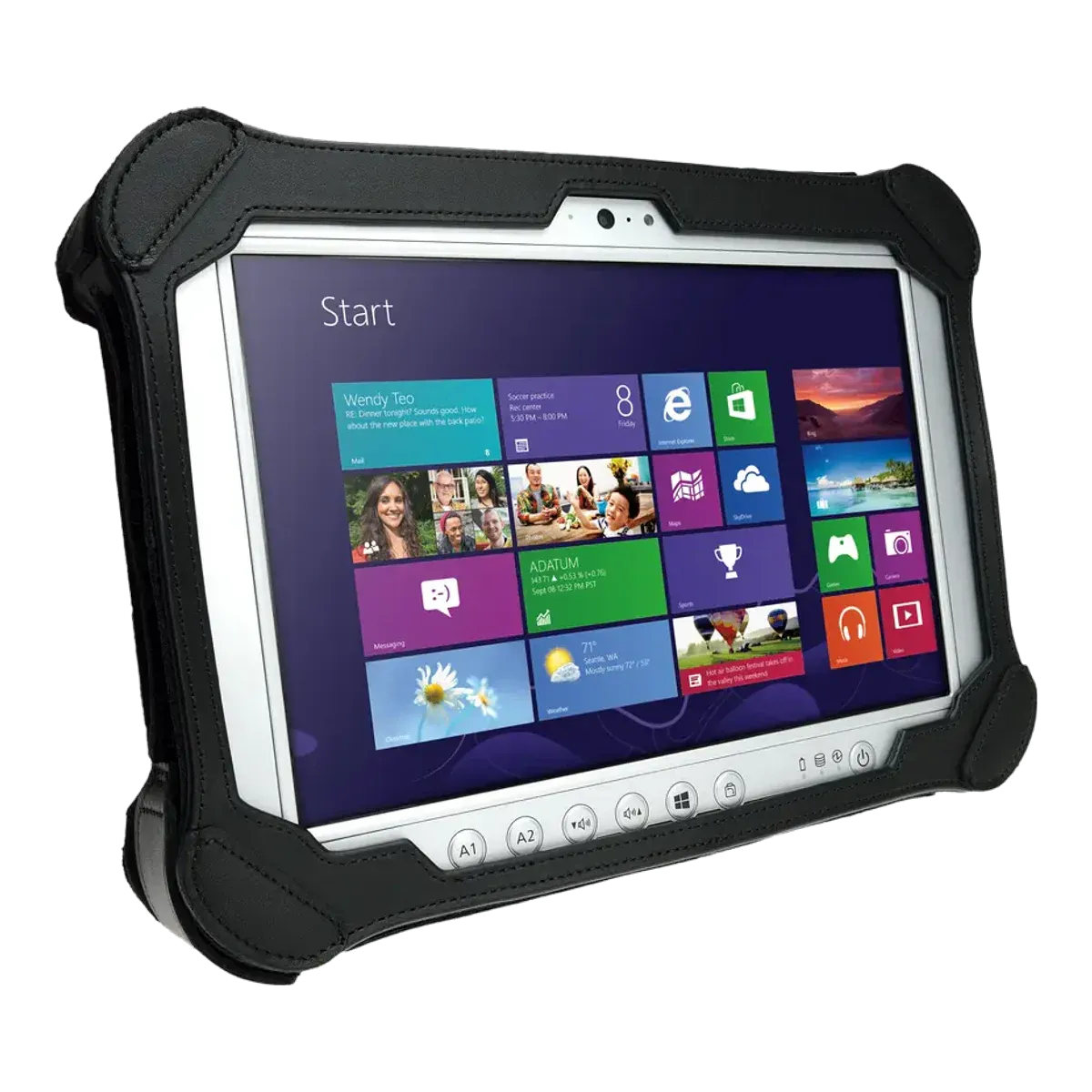
Panasonic · Rugged tablet, Ex version
Panasonic Toughpad FZ-G1 ATEX
- Discontinued
- Zone 2
- ATEX
- IECEx
- IIC
- T3
Discontinued. No longer sold. Panasonic's later Toughbook G2 and G3 have no ATEX version.
The Panasonic Toughpad FZ-G1 ATEX is the hazardous-area version of a Panasonic rugged 10.1-inch tablet, certified for Zone 2 under IECEx. Panasonic also states ATEX certification, but the certificate isn't published. It is an Ex ic ec design running Windows 10 Pro. It has been discontinued.
- Certified for
- Zone 2
- Protection
- Increased safety and intrinsic safety (Ex ic ec)
- Screen
- 10.1-inch
- Temperature class
- T3 (≤ 200 °C)
- Ambient temperature
- +5 °C to +45 °C (FZ-G1S and FZ-G1T)
- Operating system
- Windows 10 Pro
- Security updates
- Ended October 2025Unconfirmed, see note 1
- Weight
- 1600 g
- Price
- On request
Overview
Strengths and limitations
Strengths
- User-replaceable battery
Limitations
- No longer in the maker's current range
- Zone 2 only, so not for Zone 1 areas
- T3 temperature class: fine for most gases, but not those that ignite below 200 °C
- No dust zone rating
- Ambient rating tops out at +45 °C
Certification
Where you can use it
Gas
- Zone 0not certified.Explosive gas present continuously or for long periods
- Zone 1not certified.Explosive gas likely in normal operation
- Zone 2certified.Explosive gas unlikely, and only briefly
Dust
No dust zones listed in our verified data. Check the certificate.
The Ex marking, decoded
Gas atmospheresZone 2
ExicecIICT3Gc
ExExplosion protected- Certified to the IEC 60079 / EN 60079 series.
icProtection type- Intrinsic safety, level "ic": safe in normal operation. Zone 2 only.
ecProtection type- Increased safety, level "ec": extra measures against sparks, arcs and hot surfaces in normal operation. Zone 2 only.
IICGas group- Gas group IIC, e.g. hydrogen and acetylene. The most demanding group; also covers IIA and IIB.
T3Temperature class- Surface stays below 200 °C. T6 is the strictest class.
GcProtection level- Equipment protection level Gc (enhanced): suitable for Zone 2.
Gas atmospheresZone 2
ExicecIICT3Gc
ExExplosion protected- Certified to the IEC 60079 / EN 60079 series.
icProtection type- Intrinsic safety, level "ic": safe in normal operation. Zone 2 only.
ecProtection type- Increased safety, level "ec": extra measures against sparks, arcs and hot surfaces in normal operation. Zone 2 only.
IICGas group- Gas group IIC, e.g. hydrogen and acetylene. The most demanding group; also covers IIA and IIB.
T3Temperature class- Surface stays below 200 °C. T6 is the strictest class.
GcProtection level- Equipment protection level Gc (enhanced): suitable for Zone 2.
Versions
Marking versions
The certification covers more than one version: Ex ic ec IIC T3 Gc (FZ-G1S, no WWAN); Ex ic ec IIB T3 Gc (FZ-G1T, with WWAN); ATEX: II 3G of the same, per spec sheet
Safe use
Rules for the hazardous area
- Ambient temperature (Ta)
- +5 °C to +45 °C (FZ-G1S and FZ-G1T)
- Charging
- Outside the hazardous area only
- Battery swap
- Outside the hazardous area only
- Ports and accessories in the zone
- Forbidden to use any external connection in hazardous areas. The configuration port (microSD or USB 2.0 or GPS) option "cannot be operated in ATEX environment" (spec sheet).
- Certified accessories
- Only the original leather case (mandatory) and digitiser pen with tether are supplied. AC adapter CF-AA6413CG and port replicator are excluded from the evaluation (not for Zone 2). No Ex-rated keyboard, dock or scanner.Unconfirmed, see note 2
- IP code in the Ex certificate
- IP54 (spec sheet; "tested by TÜV for ATEX certification")
- Operating temperature
- +5 °C to +45 °C (Ex)
Conditions of use
Portable equipment, not to be permanently installed in the hazardous area. External connections are forbidden in hazardous areas. Before use, check the display, jacks and port covers for damage and that covers are closed. Use only with the original leather case. Non-metallic parts must not be exposed to long-term UV or frequent temperature changes. Protect from mechanical impact; remove damaged equipment from the hazardous area. Do not rub plastic parts or the display. Follow the "Supplementary Instructions FZ-G1 series". The battery-loading power supply and optional accessories (except SIM, microSD and smart card) were excluded from the evaluation because they are not allowed in Zone 2.
Specifications
Full specifications
Certification
- ATEX marking
- Ex ic ec IIC T3 Gc
- ATEX certificate
- Not published
- IECEx marking
- Ex ic ec IIC T3 Gc
- IECEx certificate
- IECEx TUR 14.0008X (Issue 9, 2021-09-17)
- Protection level (EPL)
- Gc
Device
- Type
- Rugged tablet, Ex version
- Launched
- 2018Unconfirmed, see note 3
- Part numbers
- FZ-G1S****** (no WWAN, IIC) and FZ-G1T****** (with WWAN, IIB)Unconfirmed, see note 4
- Operating system
- Windows 10 Pro
- Edition
- Windows 10 Pro
- Security updates
- Ended October 2025Unconfirmed, see note 1
- Processor
- Intel Core i5-6300U vPro (2.4 GHz)
- Processor architecture
- x86
- Memory (RAM)
- 8 DDR3L
- Storage
- 256 GB SSD, microSD/SDXC via configuration port (not for ATEX use)
Field capabilities
- Remote expert / video calls
- Via app (8 MP rear, 720p front)
- Windows desktop software
- Built in (Windows 10 Pro, x86; out of support)
Display and camera
- Display
- 10.1-inch IPS-alpha TFT outdoor
- Resolution
- 1920 × 1200 (WUXGA)
- Brightness
- 800 nits
- Touch
- 10-finger capacitive touch + digitiser
- Pen / stylus
- Digitiser pen with tether
- Rear camera
- 8 MP autofocus with LED (optional)
- Front camera
- HD 720p
Connectivity
- Network
- Wi-Fi, optional LTE
- Wi-Fi
- Intel Dual Band Wireless-AC 8260
- Bluetooth
- 4.1 + EDR Class 1
- Satellite positioning
- Optional GPS via configuration port
Physical and power
- Weight
- 1600 g
- Dimensions
- 290 × 200 × 45 (with leather case) mm
- Ingress protection
- IP54 (tested by TÜV)
- Ruggedness
- 100 cm drop (tested by TÜV)
- Battery
- 4400 (10.8 V Li-ion)
- Battery energy
- 47.5Unconfirmed, see note 5
- Battery life
- Up to 14 hours (MobileMark 2007, 60 cd/m2)
- Replaceable battery
- Yes
- Ports and expansion
- USB 3.0, optional USB 2.0 or microSD via configuration port, RJ-45 (LAN) , HDMI, headset, 24-pin port replicator connector
- Docking
- 24-pin port replicator (not for Ex use)
- Keyboard
- Tablet only
Controls & Accessibility
- Biometrics
- TPM 1.2; optional smart card (project based)
Fleet and support
- Manufacturer
- Panasonic Connect, Japan
Only specifications we could check are listed. A numbered marker next to a value means it is unconfirmed: it comes from a single or secondary source, or sources disagree. The matching note at the foot of the page explains each one. See the Panasonic Connect website for the full data sheet.
Compare
How it compares
Best in this comparison
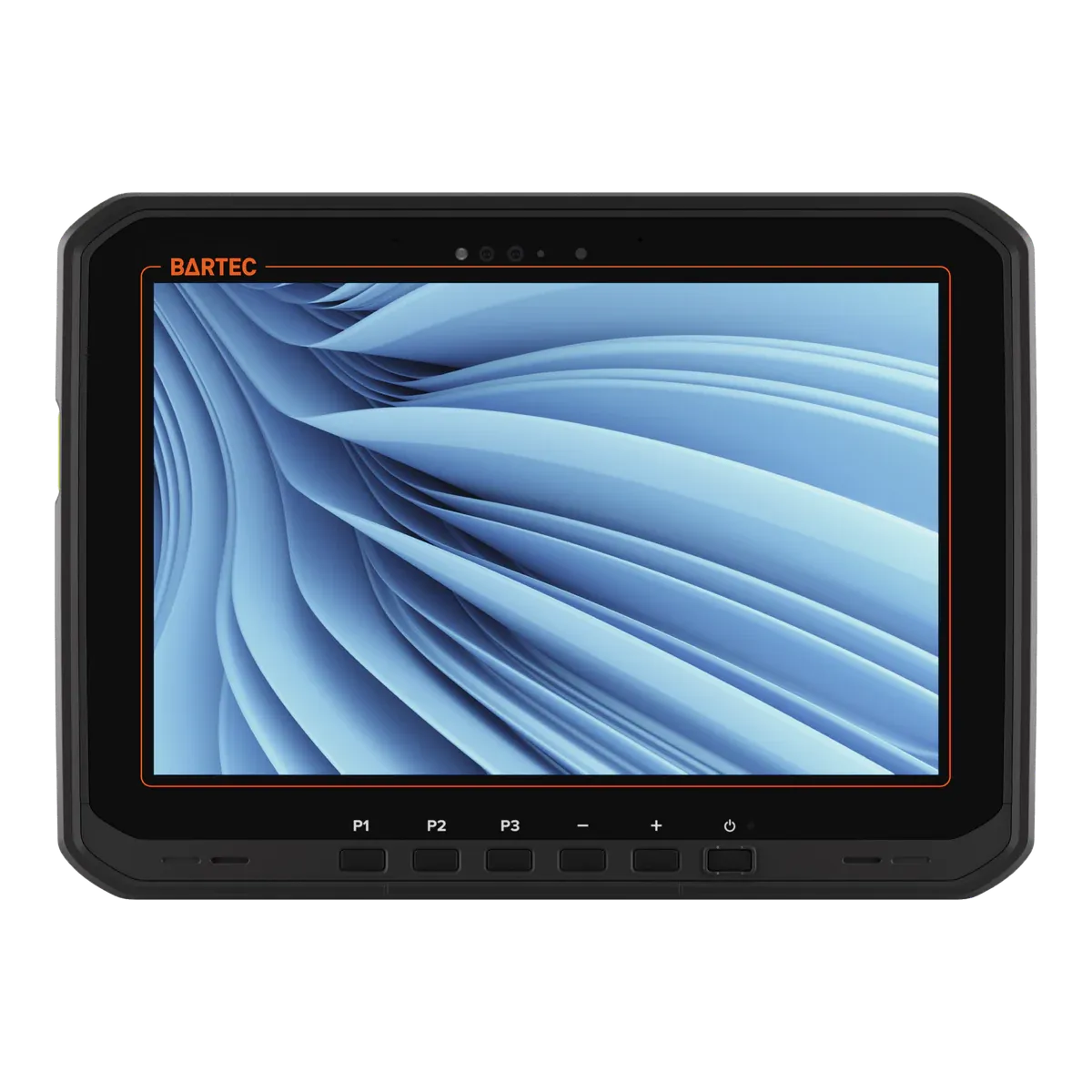
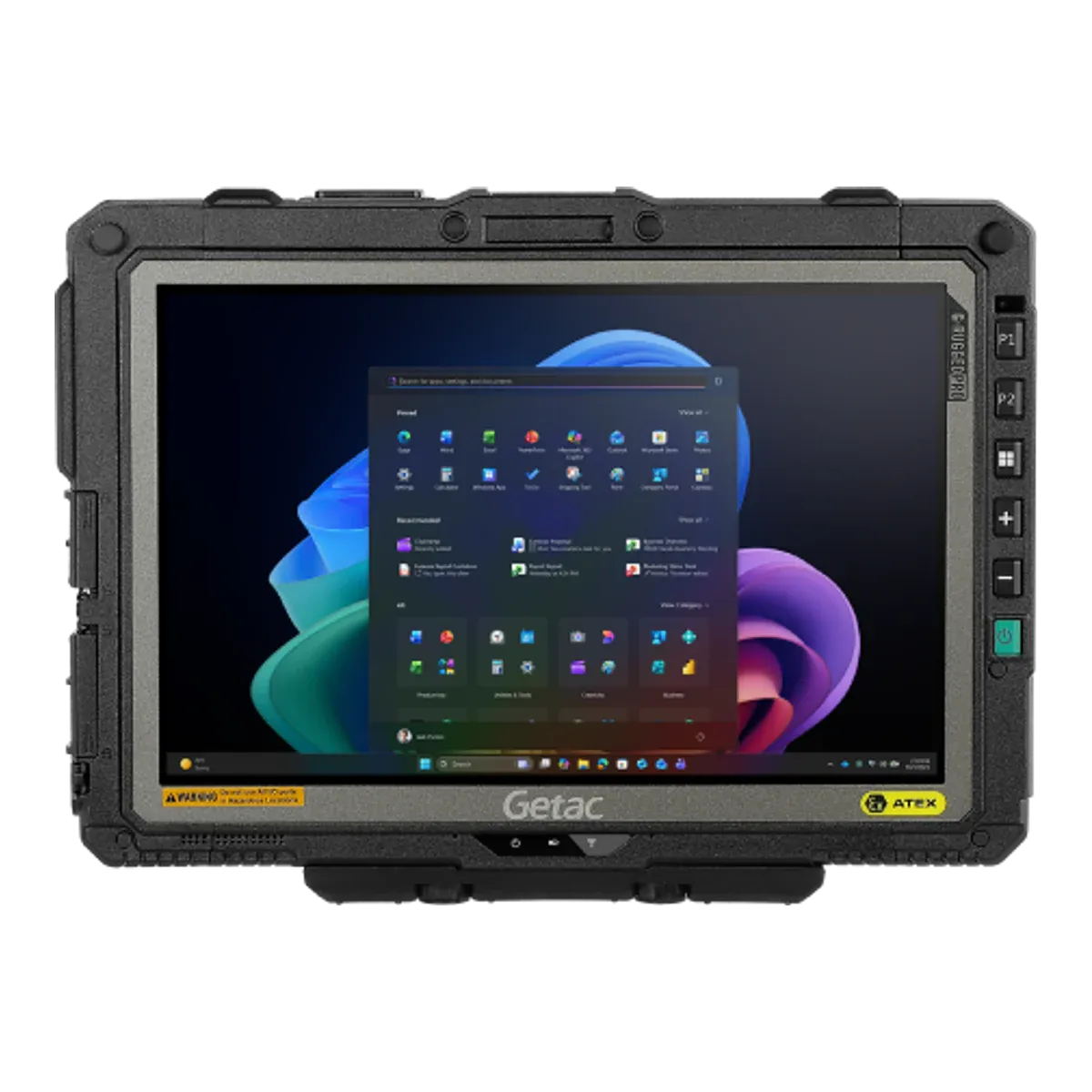
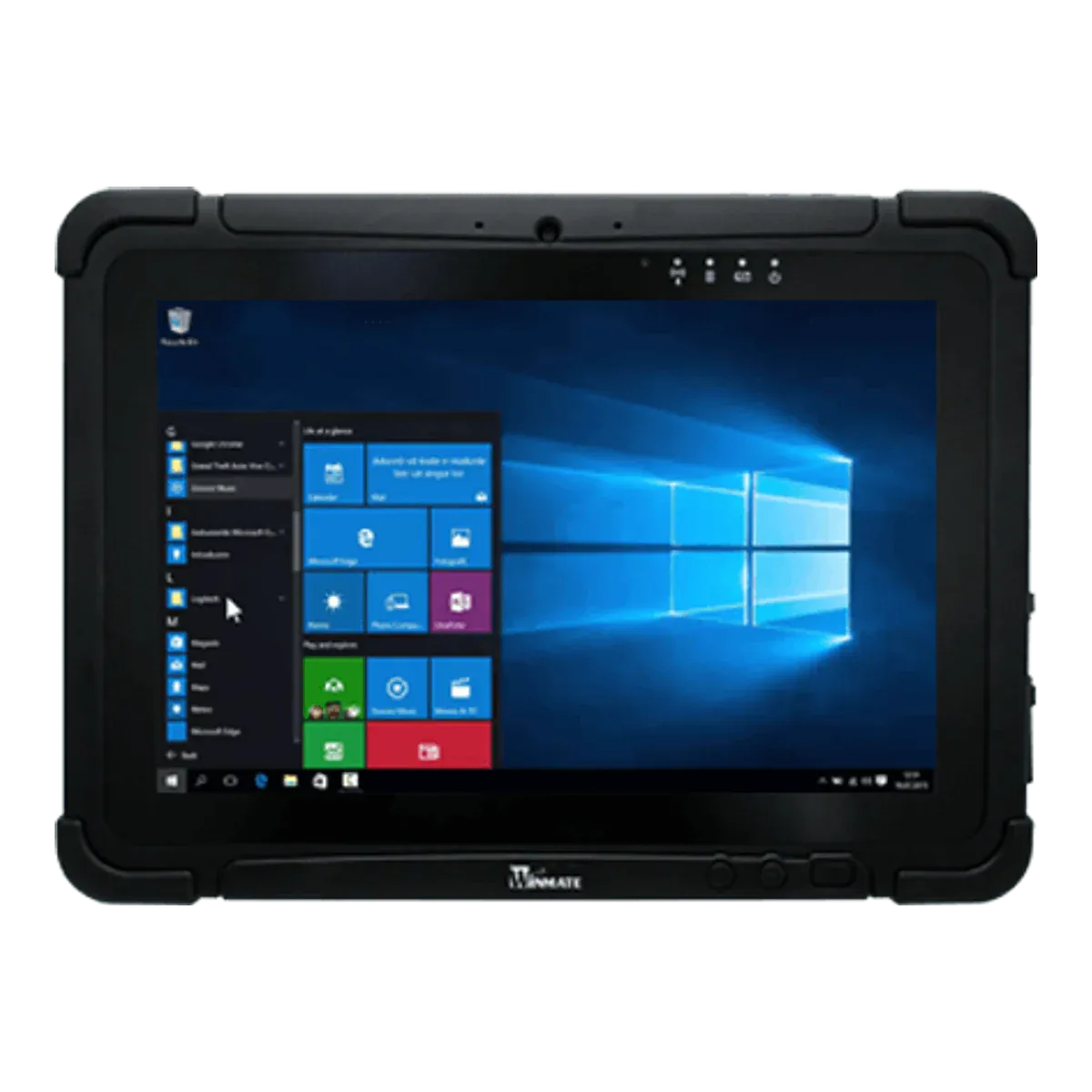
| PanasonicPanasonic Toughpad FZ-G1 ATEXThis tablet | ||||
|---|---|---|---|---|
| Type | Rugged tablet, Ex version | Rugged tablet, Ex version | Rugged tablet, Ex version | Rugged tablet, Ex version |
| Screen size | 10.1-inch | 10.1-inch | 10.1-inch | 10.1-inch |
| Availability | Discontinued | Current | Current | Current |
| Gas zones | Zone 2 | Zone 2 | Zone 2 | Zone 2 |
| Dust zones | — | Zone 22 | Zone 22 | — |
| Protection | Increased safety and intrinsic safety (Ex ic ec) | Intrinsic safety (Ex ic) with inherently safe optical radiation (op is) | Intrinsic safety (Ex ic) with inherently safe optical radiation (op is) | Intrinsic safety (Ex ic) |
| Gas group | IIC | IIC | IIC | IIC |
| Temperature class | T3 | T4 (best in this comparison) | T4 (best in this comparison) | T4 (best in this comparison) |
| Certification | ATEX + IECEx | ATEX + IECEx | ATEX + IECEx | ATEX + IECEx |
| North America | — | — | — | Class I Division 2 |
| Ambient temperature | +5 °C to +45 °C (FZ-G1S and FZ-G1T) | −20 °C to +55 °C | −21 °C to +55 °C | −10 °C to +50 °C |
| Charging in the Ex area | Not allowed | Not allowed | Not allowed | Not allowed |
| Operating system | Windows 10 Pro | Windows 11 Professional | Windows 11 Pro | Windows 11 IoT Enterprise LTSC |
| Security updates | Ended October 2025 | Supported while kept on a current Windows 11 version | Supported while kept on a current Windows 11 version | Until October 2034 (best in this comparison) |
| Weight | 1600 g | 1200 g | 1150 g (best in this comparison) | 1200 g |
| Display | 10.1-inch IPS-alpha TFT outdoor | 10.1-inch Optically bonded capacitive multi-touch, Corning Gorilla Glass, contrast 1000:1 | 10.1-inch TFT LCD, LumiBond optically bonded, anti-static film | 10.1-inch IPS LED, optical bonding, anti-glare |
| 5G | No | Yes | Yes | Yes |
| Pen / stylus | Digitiser pen with tether | Passive stylus included (AI-powered touch control) | Dual-mode touch with digitizer pen | Capacitive stylus (included) |
| Replaceable battery | Yes | Yes | Yes | Yes |
| Hot-swap battery | — | Yes (true hot swap, minimum 60 seconds) | — | Yes, hot-swappable battery (swap outside hazardous areas per the Ex certificate) |
| Price | On request | On request | On request | On request |
FAQ
Common questions
Is the Panasonic Toughpad FZ-G1 ATEX certified for Zone 1?
No. It is certified for Zone 2 only, so it can be used in Zone 2 but not in Zone 1.
Can the Panasonic Toughpad FZ-G1 ATEX be used in Zone 0?
No. It is not certified for Zone 0. Zone 0 needs equipment with protection level Ga, such as Ex ia intrinsic safety.
What type of explosion protection does the Panasonic Toughpad FZ-G1 ATEX use?
It combines increased safety (Ex ec) with intrinsic safety (Ex ic), both suited to Zone 2. Increased safety adds measures against sparks and hot surfaces; intrinsic safety limits the energy in the circuits.
What does T3 mean for the Panasonic Toughpad FZ-G1 ATEX?
Its surface stays below 200 °C, so it is suitable for gases that only ignite above that temperature. Check the ignition temperature of the substances on your site.
Can you charge the Panasonic Toughpad FZ-G1 ATEX in a hazardous area?
No. The certificate only allows charging outside the hazardous area.
Which ports and accessories can be used with the Panasonic Toughpad FZ-G1 ATEX in the hazardous area?
Forbidden to use any external connection in hazardous areas. The configuration port (microSD or USB 2.0 or GPS) option "cannot be operated in ATEX environment" (spec sheet).
What operating system does the Panasonic Toughpad FZ-G1 ATEX run?
Windows 10 Pro. Security updates ended in October 2025.
Is the Panasonic Toughpad FZ-G1 ATEX still available?
No. No longer sold. Panasonic's later Toughbook G2 and G3 have no ATEX version.
How much does the Panasonic Toughpad FZ-G1 ATEX cost?
Prices for certified hazardous-area tablets depend on volume, configuration and region, so they are on request. Contact us for a price.
Notes on unconfirmed values
- Microsoft ended Windows 10 Pro support on 14 October 2025. The maker doesn't state the edition; an LTSC edition would run longer. Return to note 1
- Not checked against the certificate for this exact model. Return to note 2
- Approximate: the maker doesn't publish a launch date. Based on the certificate date or the maker's announcement. Return to note 3
- Order codes from a certificate or distributor; confirm them with the maker when ordering. Return to note 4
- Calculated from the maker's battery capacity and voltage; the maker doesn't state watt-hours. Return to note 5
Sources and verification
Facts last verified on against:
- IECEx / TUV Rheinland (TUR): IECEx TUR 14.0008X issue 9 (Panasonic FZ-G1 series), 2021-09-17, SUSPENDED 2026-03-06
- Microsoft: Lifecycle: Windows 10 Home and Pro (22H2 end listed 10/15/2025)
- Panasonic: Toughpad FZ-G1 ATEX spec sheet, FZ-G1mk4 ATEX dated 2019-12-03
Always check the certificate for your exact model before use. Spotted an error? Tell us.