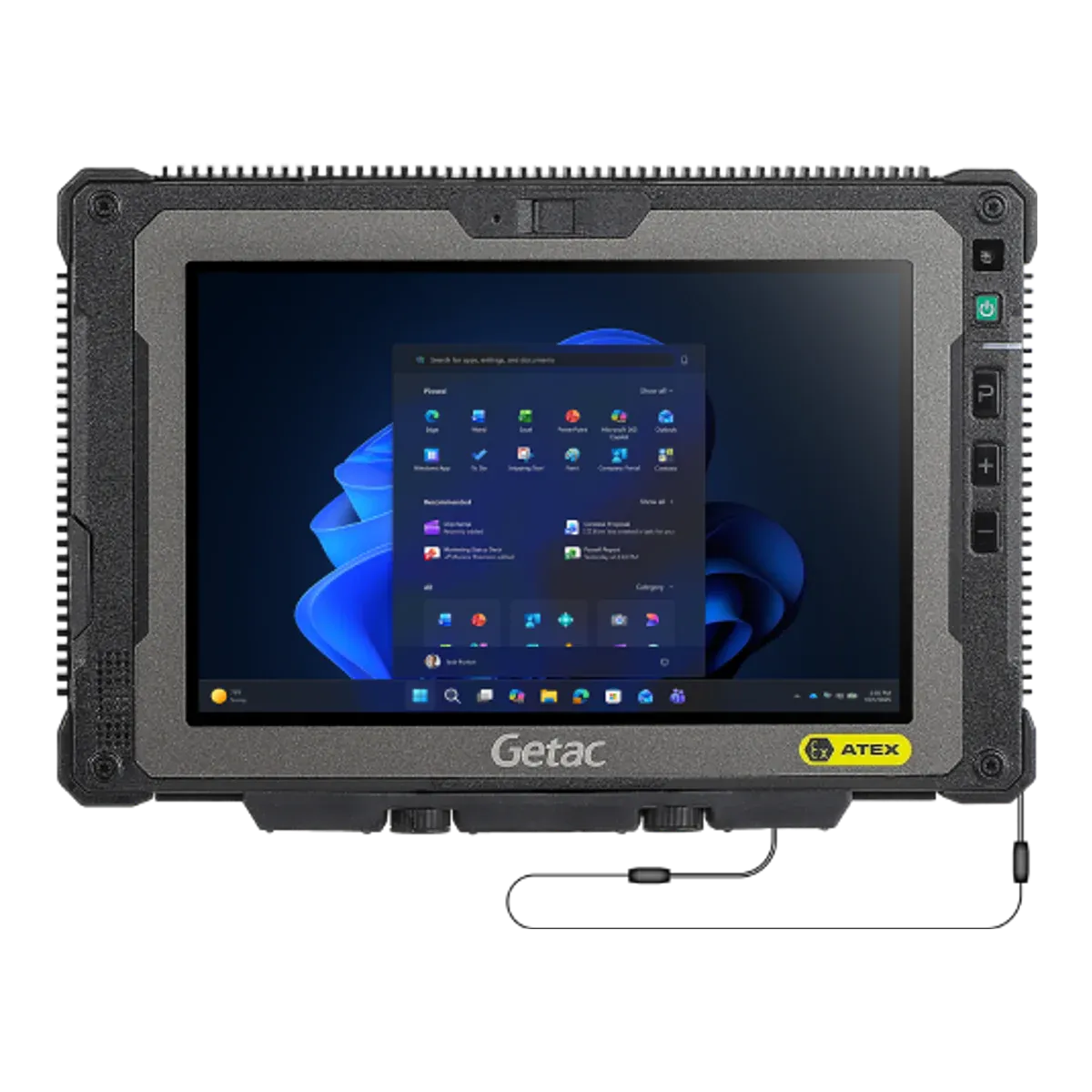
Getac · Rugged tablet, Ex version
Getac ZX80W-EX
- Zone 2/22
- ATEX
- IECEx
- IIC
- T4
The Getac ZX80W-EX is the hazardous-area version of a Getac rugged 8-inch tablet, certified for Zone 2/22 under IECEx. Getac also states ATEX certification, but the certificate isn't published. It is an intrinsically safe (Ex ic) design running Windows 11 IoT Enterprise LTSC.
- Certified for
- Zone 2/22
- Protection
- Intrinsic safety (Ex ic) with inherently safe optical radiation (op is)
- Screen
- 8-inch
- Temperature class
- T4 (≤ 135 °C)
- Ambient temperature
- −21 °C to +55 °CUnconfirmed, see note 1
- Operating system
- Windows 11 IoT Enterprise LTSC
- Security updates
- Until October 2034Unconfirmed, see note 2
- Weight
- 780 g
- Price
- On request
Overview
Strengths and limitations
Strengths
- Optional built-in barcode imager
- 5G on cellular versions
- Security updates until October 2034
- User-replaceable battery
- Among the lightest Zone 2 tablets of its size we list, at 780 g in use
Limitations
- Zone 2 only, so not for Zone 1 areas
- T4 temperature class: fine for most gases, but not those that ignite below 135 °C
- Windows on Arm: x86/x64 apps run through emulation and need Arm64 drivers
Best for
Certification
Where you can use it
Gas
- Zone 0not certified.Explosive gas present continuously or for long periods
- Zone 1not certified.Explosive gas likely in normal operation
- Zone 2certified.Explosive gas unlikely, and only briefly
Dust
- Zone 20not certified.Combustible dust present continuously or for long periods
- Zone 21not certified.Combustible dust likely in normal operation
- Zone 22certified.Combustible dust unlikely, and only briefly
The Ex marking, decoded
Gas atmospheresZone 2
II3GExicop isIICT4Gc
IIEquipment group- Group II: equipment for surface industries (not mining).
3GATEX category- Category 3 for gas: suitable down to Zone 2.
ExExplosion protected- Certified to the IEC 60079 / EN 60079 series.
icProtection type- Intrinsic safety, level "ic": safe in normal operation. Zone 2 only.
op isProtection type- Inherently safe optical radiation: light from the camera flash or torch is limited below the level that could ignite the atmosphere.
IICGas group- Gas group IIC, e.g. hydrogen and acetylene. The most demanding group; also covers IIA and IIB.
T4Temperature class- Surface stays below 135 °C. T6 is the strictest class.
GcProtection level- Equipment protection level Gc (enhanced): suitable for Zone 2.
Dust atmospheresZone 22
II3DExicop isIIICT130°CDc
3DATEX category- Category 3 for dust: suitable down to Zone 22.
IIICDust group- Dust group IIIC: conductive dust. The most demanding group; also covers IIIA and IIIB.
T130°CMax surface temperature- Surface stays below 130°C in dust.
DcProtection level- Equipment protection level Dc (enhanced): suitable for Zone 22.
IIExicop is as above.
Gas atmospheresZone 2
Exicop isIICT4Gc
ExExplosion protected- Certified to the IEC 60079 / EN 60079 series.
icProtection type- Intrinsic safety, level "ic": safe in normal operation. Zone 2 only.
op isProtection type- Inherently safe optical radiation: light from the camera flash or torch is limited below the level that could ignite the atmosphere.
IICGas group- Gas group IIC, e.g. hydrogen and acetylene. The most demanding group; also covers IIA and IIB.
T4Temperature class- Surface stays below 135 °C. T6 is the strictest class.
GcProtection level- Equipment protection level Gc (enhanced): suitable for Zone 2.
Dust atmospheresZone 22
Exicop isIIICT130°CDc
IIICDust group- Dust group IIIC: conductive dust. The most demanding group; also covers IIIA and IIIB.
T130°CMax surface temperature- Surface stays below 130°C in dust.
DcProtection level- Equipment protection level Dc (enhanced): suitable for Zone 22.
Exicop is as above.
Safe use
Rules for the hazardous area
- Ambient temperature (Ta)
- −21 °C to +55 °CUnconfirmed, see note 1
- Charging
- Outside the hazardous area only
- Battery swap
- Outside the hazardous area only
- Ports and accessories in the zone
- All connection interfaces (USB, Thunderbolt, DC-in, docking connector, LAN, serial) must never be used in hazardous areas (certificate condition). Optional internal modules named in the certificate are covered as part of the certified tablet.
- Certified accessories
- Same list as ZX80-EX: certificate names hand strap, shoulder strap, digitizer pen and tether. Anti-static screen film for hazardous use. Hand strap with stylus holder, rotating hand strap and vehicle cradle on the datasheet. NOT for hazardous areas: USB-C adapter, vehicle adapter, chargers, batteries.Unconfirmed, see note 3
- Operating temperature
- −21 °C to +55 °C (standard ZX80W: −29 to +63)
Conditions of useUnconfirmed, see note 1
As ZX80-Exc: protect from UV and mechanical impact; interfaces never used in hazardous areas; battery never changed, charged or removed in hazardous areas; not next to strong charge-generating processes; batteries BP1S1P4060B or BP1S1P4990B.
Specifications
Full specifications
Certification
- ATEX marking
- II 3G Ex ic op is IIC T4 Gc / II 3D Ex ic op is IIIC T130°C Dc
- ATEX certificate
- Not published
- IECEx marking
- Ex ic op is IIC T4 Gc / Ex ic op is IIIC T130°C Dc
- IECEx certificate
- IECEx EPS 25.0039X (ZX80-Exc), assumed to cover the Windows variantUnconfirmed, see note 1
- Protection level (EPL)
- Gc / Dc
- Dust group
- IIIC
- Max surface temperature (dust)
- 130 °C
Device
- Type
- Rugged tablet, Ex version
- Launched
- 2026Unconfirmed, see note 4
- Operating system
- Windows 11 IoT Enterprise LTSC
- Edition
- Windows 11 IoT Enterprise LTSC (Arm); LTSC 2024 inferredUnconfirmed, see note 5
- Security updates
- Until October 2034Unconfirmed, see note 2
- Processor
- Qualcomm QCS6490 octa-core 1.9 GHz (max 2.7 GHz)
- Processor architecture
- Arm
- Memory (RAM)
- 12 GB
- Storage
- 256 GB, microSD
Field capabilities
- Barcode scanning
- Built in (optional 1D/2D imager)
- Remote expert / video calls
- Via app (8 MP webcam)
- Windows desktop software
- Built in (Windows 11 IoT Enterprise LTSC on Arm; x86 apps need emulation, compatibility not verified)Unconfirmed, see note 6
Display and camera
- Display
- 8-inch
- Resolution
- 1920 × 1200
- Brightness
- 1000 nits
- Pen / stylus
- Digitizer pen
- Rear camera
- 16 MP autofocus
- Front camera
- 8 MP webcam
Connectivity
- Network
- Wi-Fi 6E; optional 4G LTE, 5G Sub-6
- Wi-Fi
- Wi-Fi 6E
- Bluetooth
- Bluetooth 5.2
- Satellite positioning
- Dedicated L1/L5 GPS
- SIM
- Nano-SIM 4FF, eSIM
Physical and power
- Weight
- 780 g
- Dimensions
- 243.2 × 165.1 × 23.1 mm
- Ingress protection
- IP67
- Ruggedness
- MIL-STD-810H; 1.8 m (6 ft) drop
- Battery
- Internal typical 4060; optional 4990
- Hot-swap battery
- Headline claims high-capacity hot-swappable batteries (non-hazardous areas only)
- Replaceable battery
- Yes
- Ports and expansion
- USB 3.2 Gen1 Type-C (DP, PD), microSD or hybrid nano-SIM tray; optional 1D/2D barcode
Controls & Accessibility
- Keys
- Power + 3 programmable (Windows key, volume up, volume down default)
- Push-to-talk key
- No
Fleet and support
- Manufacturer
- Getac Technology Corporation, Taiwan
Only specifications we could check are listed. A numbered marker next to a value means it is unconfirmed: it comes from a single or secondary source, or sources disagree. The matching note at the foot of the page explains each one. See the Getac Technology Corporation website for the full data sheet.
Compare
How it compares
Best in this comparison
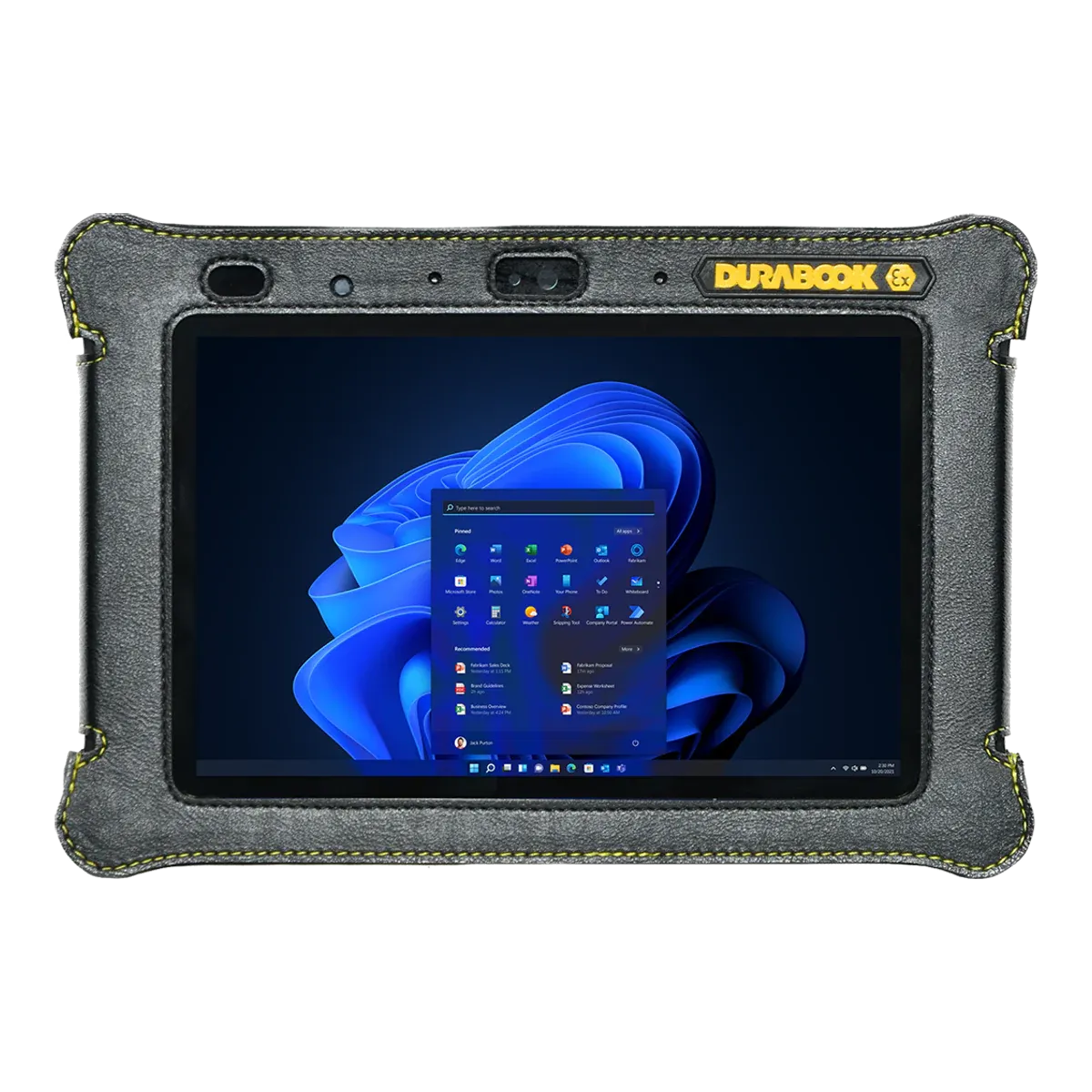
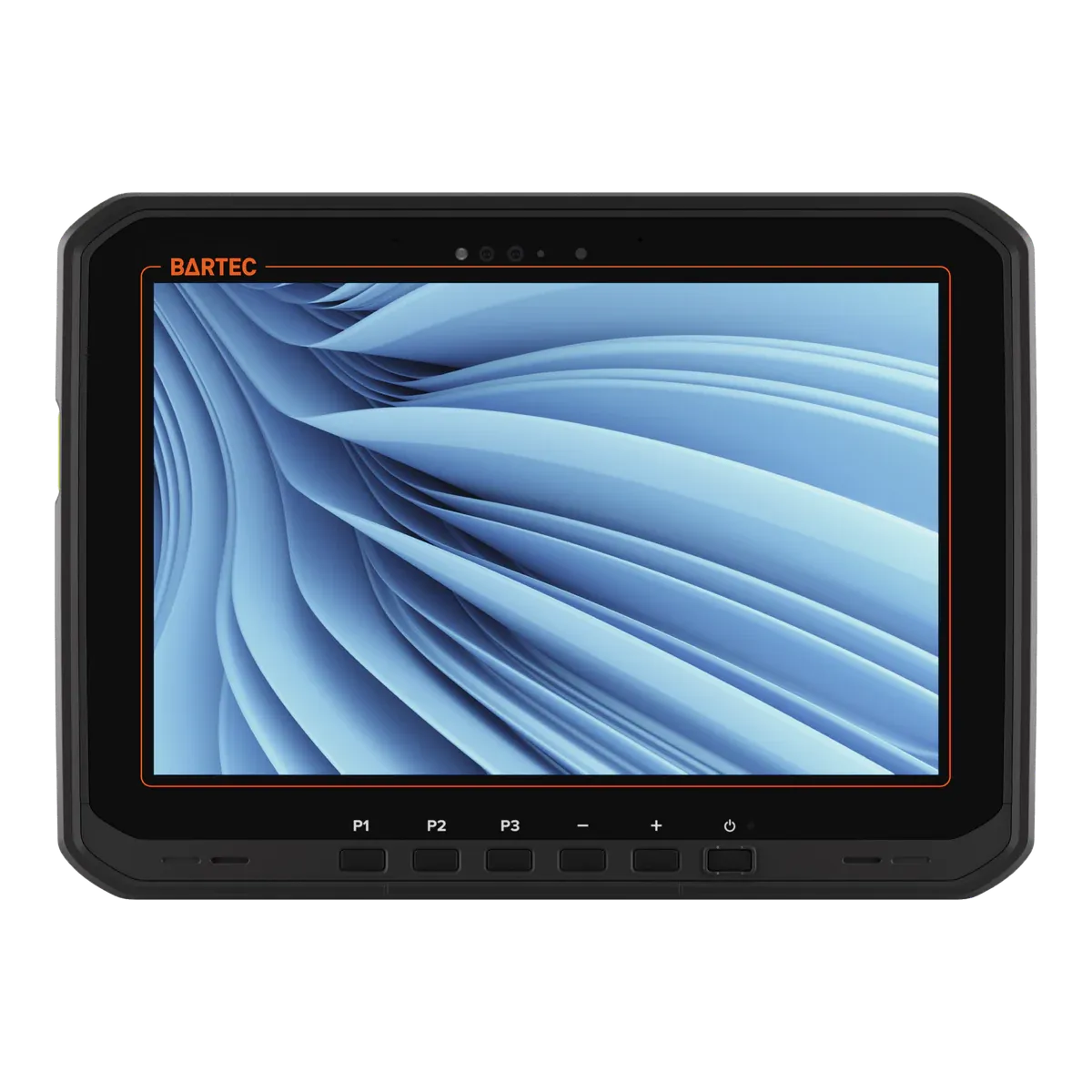
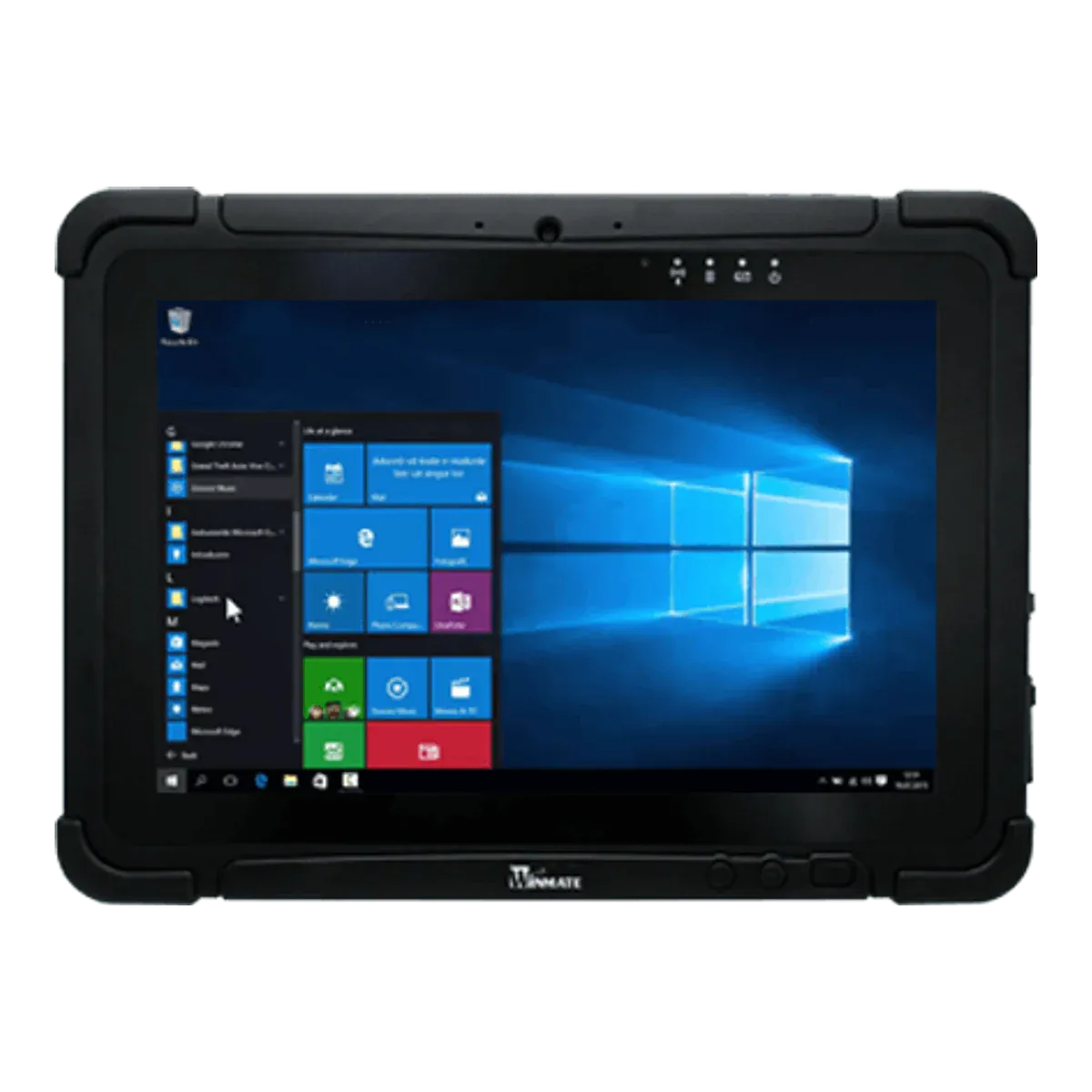
| GetacGetac ZX80W-EXThis tablet | ||||
|---|---|---|---|---|
| Type | Rugged tablet, Ex version | Rugged tablet, Ex version | Rugged tablet, Ex version | Rugged tablet, Ex version |
| Screen size | 8-inch | 8-inch | 10.1-inch | 10.1-inch |
| Availability | Current | Current | Current | Current |
| Gas zones | Zone 2 | Zone 2 | Zone 2 | Zone 2 |
| Dust zones | Zone 22 | Zone 22 | Zone 22 | — |
| Protection | Intrinsic safety (Ex ic) with inherently safe optical radiation (op is) | Intrinsic safety (Ex ic) | Intrinsic safety (Ex ic) with inherently safe optical radiation (op is) | Intrinsic safety (Ex ic) |
| Gas group | IIC | IIC | IIC | IIC |
| Temperature class | T4 | T4 | T4 | T4 |
| Certification | ATEX + IECEx | ATEX | ATEX + IECEx | ATEX + IECEx |
| North America | — | — | — | Class I Division 2 |
| Ambient temperature | −21 °C to +55 °C | — | −20 °C to +55 °C | −10 °C to +50 °C |
| Charging in the Ex area | Not allowed | Not allowed | Not allowed | Not allowed |
| Operating system | Windows 11 IoT Enterprise LTSC | Windows 11 Pro | Windows 11 Professional | Windows 11 IoT Enterprise LTSC |
| Security updates | Until October 2034 | Supported while kept on a current Windows 11 version | Supported while kept on a current Windows 11 version | Until October 2034 |
| Weight | 780 g (best in this comparison) | 880 g | 1200 g | 1200 g |
| Display | 8-inch | 8-inch LCD, DynaVue sunlight-readable, 10-point capacitive | 10.1-inch Optically bonded capacitive multi-touch, Corning Gorilla Glass, contrast 1000:1 | 10.1-inch IPS LED, optical bonding, anti-glare |
| 5G | Yes | No | Yes | Yes |
| Pen / stylus | Digitizer pen | Optional digitizer | Passive stylus included (AI-powered touch control) | Capacitive stylus (included) |
| Replaceable battery | Yes | Yes | Yes | Yes |
| Hot-swap battery | Headline claims high-capacity hot-swappable batteries (non-hazardous areas only) | Optional swappable battery, 5 minute swap (system stays on within 300 s in standby) | Yes (true hot swap, minimum 60 seconds) | Yes, hot-swappable battery (swap outside hazardous areas per the Ex certificate) |
| Price | On request | On request | On request | On request |
FAQ
Common questions
Is the Getac ZX80W-EX certified for Zone 1?
No. It is certified for Zone 2/22 only, so it can be used in Zone 2 but not in Zone 1.
Can the Getac ZX80W-EX be used in Zone 0?
No. It is not certified for Zone 0. Zone 0 needs equipment with protection level Ga, such as Ex ia intrinsic safety.
What type of explosion protection does the Getac ZX80W-EX use?
It is intrinsically safe: intrinsic safety (Ex ic) with inherently safe optical radiation (op is). Intrinsic safety limits the electrical and thermal energy in the device below the level that could ignite the surrounding atmosphere.
What does T4 mean for the Getac ZX80W-EX?
Its surface stays below 135 °C, so it is suitable for gases that only ignite above that temperature. Check the ignition temperature of the substances on your site.
Can you charge the Getac ZX80W-EX in a hazardous area?
No. The certificate only allows charging outside the hazardous area.
Which ports and accessories can be used with the Getac ZX80W-EX in the hazardous area?
All connection interfaces (USB, Thunderbolt, DC-in, docking connector, LAN, serial) must never be used in hazardous areas (certificate condition). Optional internal modules named in the certificate are covered as part of the certified tablet.
What operating system does the Getac ZX80W-EX run?
Windows 11 IoT Enterprise LTSC. Security updates are expected until at least October 2034.
How much does the Getac ZX80W-EX cost?
Prices for certified hazardous-area tablets depend on volume, configuration and region, so they are on request. Contact us for a price.
Notes on unconfirmed values
- No certificate names the Windows ZX80W-EX yet. This is from the ZX80-EX certificate, which covers the same hardware. Return to note 1
- Getac's date for the standard model; Getac lists no separate date for the EX version. Return to note 2
- Not checked against the certificate for this exact model. Return to note 3
- Approximate: the maker doesn't publish a launch date. Based on the certificate date or the maker's announcement. Return to note 4
- The maker doesn't state the edition year. Return to note 5
- Not confirmed by the maker for this exact model. Return to note 6
Sources and verification
Facts last verified on against:
- IECEx / Bureau Veritas CPS Germany (EPS): IECEx EPS 25.0039X issue 0 (ZX80-Exc), 2026-01-28, Current
- IECEx: IECEx online certificate database: holder searches for Getac, Winmate, Zebra, Panasonic, Dell, Durabook, Xplore, Twinhead (2026-10-25)
- Microsoft: Lifecycle: Windows 11 IoT Enterprise LTSC 2024 (extended end listed 10/11/2034)
- Getac: ZX80W-EX (G1) product specification, generated 2026-08-12
- Getac: ZX80W-EX accessory spec brochure
- Getac via PR Newswire: Press release 2026-06-03: ZX80W and ZX80W-EX
Always check the certificate for your exact model before use. Spotted an error? Tell us.