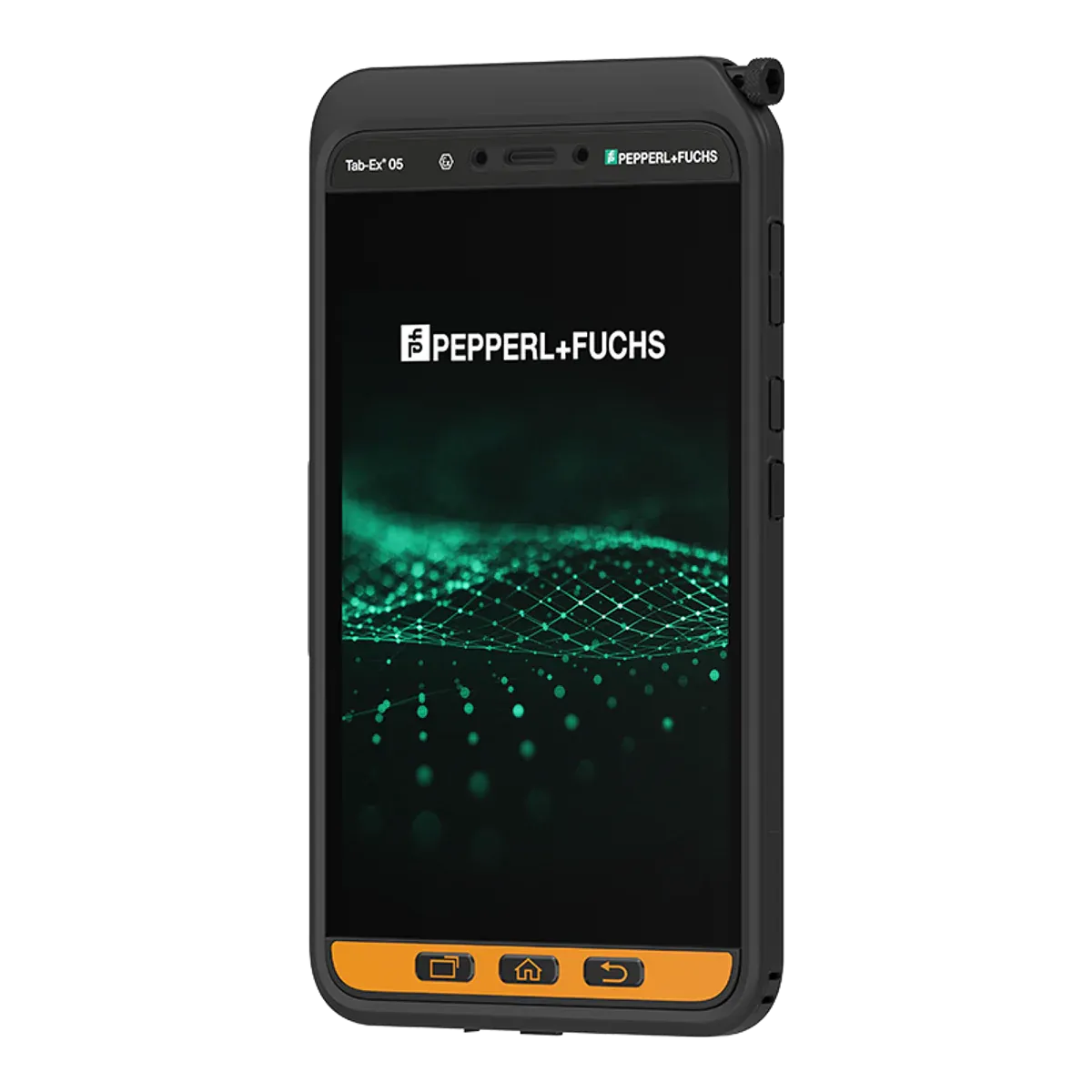
ecom (Pepperl+Fuchs) · Dedicated Ex tablet
ecom Tab-Ex 05 DZ2
- Zone 2/22
- ATEX
- IECEx
- IIC
- T5
- Class I Division 2
The ecom Tab-Ex 05 DZ2 is an intrinsically safe (Ex ic) 8-inch Android tablet from ecom (Pepperl+Fuchs), certified for Zone 2/22 under ATEX and IECEx. It runs Android 16.
- Certified for
- Zone 2/22
- Protection
- Intrinsic safety (Ex ic)
- Screen
- 8-inch
- Temperature class
- T5 (≤ 100 °C)
- Ambient temperature
- −20 °C to +55 °C
- Operating system
- Android 16Unconfirmed, see note 1
- Security updates
- Until Q1 2032Unconfirmed, see note 2
- Weight
- 595 gUnconfirmed, see note 3
- Price
- On request
Overview
Strengths and limitations
Strengths
- ATEX and IECEx certified, with published certificate numbers
- Also certified for Class I Division 2 in North America
- Ex-rated barcode scanner available as an accessory
- 5G connectivity
- Security updates until Q1 2032
Limitations
- Zone 2 only, so not for Zone 1 areas
- T5 temperature class: fine for most gases, but not those that ignite below 100 °C
- Battery isn't user-replaceable
Certification
Where you can use it
Gas
- Zone 0not certified.Explosive gas present continuously or for long periods
- Zone 1not certified.Explosive gas likely in normal operation
- Zone 2certified.Explosive gas unlikely, and only briefly
Dust
- Zone 20not certified.Combustible dust present continuously or for long periods
- Zone 21not certified.Combustible dust likely in normal operation
- Zone 22certified.Combustible dust unlikely, and only briefly
The Ex marking, decoded
Gas atmospheresZone 2
II3GExicIICT5Gc
IIEquipment group- Group II: equipment for surface industries (not mining).
3GATEX category- Category 3 for gas: suitable down to Zone 2.
ExExplosion protected- Certified to the IEC 60079 / EN 60079 series.
icProtection type- Intrinsic safety, level "ic": safe in normal operation. Zone 2 only.
IICGas group- Gas group IIC, e.g. hydrogen and acetylene. The most demanding group; also covers IIA and IIB.
T5Temperature class- Surface stays below 100 °C. T6 is the strictest class.
GcProtection level- Equipment protection level Gc (enhanced): suitable for Zone 2.
Dust atmospheresZone 22
II3DExicIIICT85°CDc
3DATEX category- Category 3 for dust: suitable down to Zone 22.
IIICDust group- Dust group IIIC: conductive dust. The most demanding group; also covers IIIA and IIIB.
T85°CMax surface temperature- Surface stays below 85°C in dust.
DcProtection level- Equipment protection level Dc (enhanced): suitable for Zone 22.
IIExic as above.
Gas atmospheresZone 2
ExicIICT5Gc
ExExplosion protected- Certified to the IEC 60079 / EN 60079 series.
icProtection type- Intrinsic safety, level "ic": safe in normal operation. Zone 2 only.
IICGas group- Gas group IIC, e.g. hydrogen and acetylene. The most demanding group; also covers IIA and IIB.
T5Temperature class- Surface stays below 100 °C. T6 is the strictest class.
GcProtection level- Equipment protection level Gc (enhanced): suitable for Zone 2.
Dust atmospheresZone 22
ExicIIICT85°CDc
IIICDust group- Dust group IIIC: conductive dust. The most demanding group; also covers IIIA and IIIB.
T85°CMax surface temperature- Surface stays below 85°C in dust.
DcProtection level- Equipment protection level Dc (enhanced): suitable for Zone 22.
Exic as above.
Versions
Tab-Ex 05 D2
North American version, certified for Class I Division 2 only, with no ATEX or IECEx rating.
Safe use
Rules for the hazardous area
- Ambient temperature (Ta)
- −20 °C to +55 °C
- Charging
- Outside the hazardous area only
- Battery swap
- Outside the hazardous area only
- Ports and accessories in the zone
- No wired connections in the Ex area (USB-C, POGO keyboard port). The 3.5 mm audio port may be used with intrinsically safe audio equipment matching its entity parameters (e.g. ecom HS-Ex 01 J).
- Certified accessories
- Named in the certificate: S Pen ST T05 X2, leather case LC T05 X2, chest harness CH T05 X2, hand strap HA T05 X2R, belt clip BC T01, carrying strap CS T05, stylus tether ST 01. The HS-Ex 01 J in-ear headset has its own IECEx certificate (EPS 25.0070X, Current) for the audio port. Lite Cradle, DC T01 X2 desktop charger, passive holder, screen protector and microSD card are not named in the certificate; chargers and cradles are for use outside the hazardous area only.
- Operating temperature
- −20 °C to +55 °C
Conditions of use
IECEx X conditions: use where the risk of mechanical hazards is low; not near processes generating high electrostatic charges; the Ex-protective case must be correctly fitted before entering hazardous areas; battery pack and SIM/SD replacement only in ordinary areas; wired connections via USB-C or POGO pins only in ordinary areas; charge only at −5 °C to +55 °C, only from non-shock-hazard supplies (SELV/PELV/ES1) with Um 16 V max, 3.2 A max; repairs by manufacturer or authorised centre. Audio port has intrinsic-safety entity parameters (Uo 3 V, Io 250 mA).
Specifications
Full specifications
Certification
- ATEX marking
- II 3G Ex ic IIC T5 Gc / II 3D Ex ic IIIC T85°C Dc
- ATEX certificate
- EPS 24 ATEX 1 257 X
- IECEx marking
- Ex ic IIC T5 Gc / Ex ic IIIC T85°C Dc
- IECEx certificate
- IECEx EPS 24.0090X (Issue 0, 2025-02-06)
- Other approvals
- KC Korea 25-KA4BO-0563X and 25-KA4BO-0564X (ecom files CERT-8026/8027); Inmetro Brazil TÜV 25.0337 X (CERT-7867); IA/MASC South Africa MASC S/25-8053X
- North America
- SGS certificate SGSNA/25/SUW/00031X (ecom file CERT-B178A, effective 2025-05-24; covers DZ2 and D2): Class I and II, Division 2, Class III, Division 1 & 2, Groups A-D, F and G, T5; Zone 2 Group IIC T5; Zone 22 Group IIIB T100°C; −20 °C ≤ Ta ≤ 50 °C. Under NEC/CEC the limits are Ta +50 °C and dust group IIIB, not +55 °C / IIIC as under ATEX/IECEx. Charging under the SGS certificate only at −5 °C to +45 °C (ATEX/IECEx: −5 °C to +55 °C).
- Protection level (EPL)
- Gc / Dc
- Dust group
- IIIC
- Max surface temperature (dust)
- 85 °C
Device
- Type
- Dedicated Ex tablet
- Launched
- 2025
- Part numbers
- TAB-EX05-DZ2-* (datasheet t221646; WiFi and WWAN types)
- Operating system
- Android 16Unconfirmed, see note 1
- Edition
- Android (Samsung One UI); Android Enterprise Recommended, Samsung Knox 3.10
- OS at launch
- Android 14
- OS upgrades
- Android 22 (ecom claim)Unconfirmed, see note 1
- Security updates
- Until Q1 2032Unconfirmed, see note 2
- Processor
- Samsung Exynos 1380 (S5E8835) octa-core, 4 x 2.4 GHz + 4 x 2.0 GHz, 5 nm
- Processor architecture
- Arm
- Memory (RAM)
- 6 GB
- Storage
- 128 GB, microSD up to 1 TB
Field capabilities
- Push-to-talk
- Via app (programmable function key assignable to PTT, per ecom)
- Emergency / SOS
- Built in (freely programmable function key, e.g. emergency call or alarm)
- Lone worker
- Via app (key assigned to alarm/emergency; third-party or ecom lone-worker solution)
- Barcode scanning
- Via accessory (ecom Ident-Ex 02 wireless 1D/2D scanner; Ex-rated? yes) or camera-based via app
- NFC reading
- Built in (NFC)
- 3D scanning / LiDAR
- Not possible (no depth sensor listed)
- Remote expert / video calls
- Via app (front and rear cameras, Google ARCore ready; ecom promotes remote-support use)
- Windows desktop software
- Not possible (Android; Samsung DeX gives a desktop-style Android UI)
Display and camera
- Display
- 8-inch TFT, capacitive multitouch, 60 Hz / adaptive up to 120 Hz; Corning Gorilla Glass 3 (DZ1/DZ2), Gorilla Glass 5 (D2)
- Resolution
- 1920 × 1200 (WUXGA), 283 ppi, 16:10
- Brightness
- 600 nits
- Outdoor readability
- Maker claims optimum readability in direct sunlight (600 nits max)
- Touch
- Yes: glove touch and wet-hands operation (maker)
- Pen / stylus
- Samsung S Pen included (pressure sensitive), with Tab-Ex S Pen holder
- Rear camera
- 13 MP autofocus, 8x digital zoom (camera-free version available)
- Front camera
- 5 MP
- Video
- UHD 4K (3840 x 2160) at 30 fps
Connectivity
- Network
- 5G Sub-6 and 4G LTE; Wi-Fi-only version also available
- Wi-Fi
- Wi-Fi 6 (802.11 a/b/g, Wi-Fi 4/5/6 2.4 + 5 GHz)
- Bluetooth
- Bluetooth 5.3
- NFC
- Yes
- Satellite positioning
- GPS, Glonass, Beidou, Galileo
- SIM
- Nano-SIM and eSIM (optional)
Physical and power
- Weight
- 595 gUnconfirmed, see note 3
- Dimensions
- 131.8 × 228.4 × 14.5 (W × H × D) mmUnconfirmed, see note 4
- Ingress protection
- IP68 (EN/IEC 60529)
- Ruggedness
- MIL-STD-810H
- Battery
- 5050 (typical)
- Battery energy
- 18.87 (typical)
- Battery life
- Up to 14 h
- Replaceable battery
- No
- Ports and expansion
- USB 2.0 Type-C; 3.5 mm audio jack and POGO pins on DZ2; microSD; nano-SIM / eSIM
- Docking
- DZ2: Lite Cradle, DC T01 X2 desktop charger, passive holder with tilt/swivel (ordinary areas)
- Keyboard
- No keyboard; wireless DeX with Bluetooth keyboard/mouse; POGO keyboard-dock port on DZ2 (ordinary areas only)
Controls & Accessibility
- Keys
- Function key (programmable: PTT, emergency call, alarm) and Active button
- Push-to-talk key
- Yes
- Glove touch
- Yes
- Biometrics
- Face recognition; fingerprint only on the D2 model
Fleet and support
- Manufacturer
- ecom instruments (Pepperl+Fuchs), Germany
Only specifications we could check are listed. A numbered marker next to a value means it is unconfirmed: it comes from a single or secondary source, or sources disagree. The matching note at the foot of the page explains each one. See the ecom instruments (Pepperl+Fuchs) website for the full data sheet.
Compare
How it compares
Best in this comparison
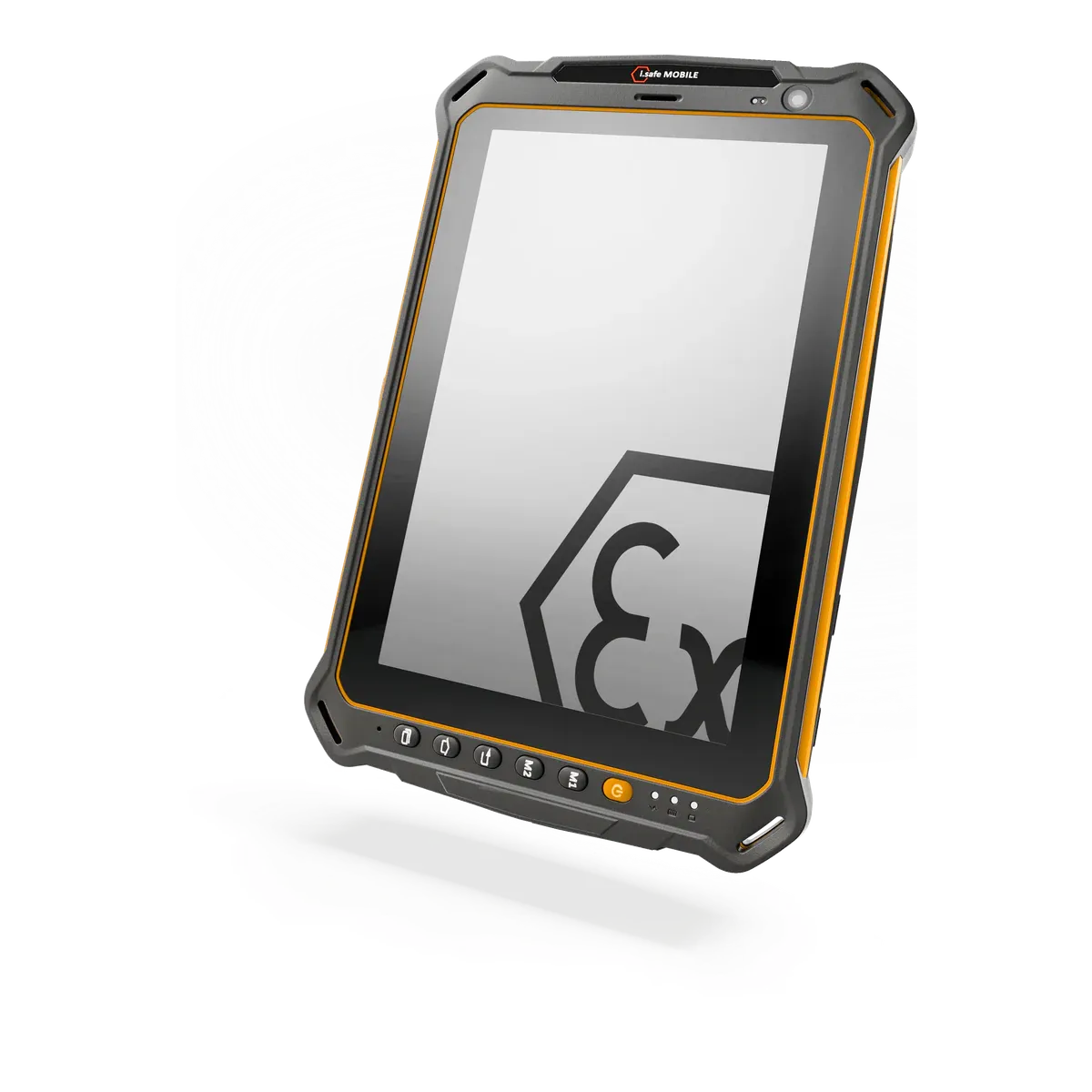
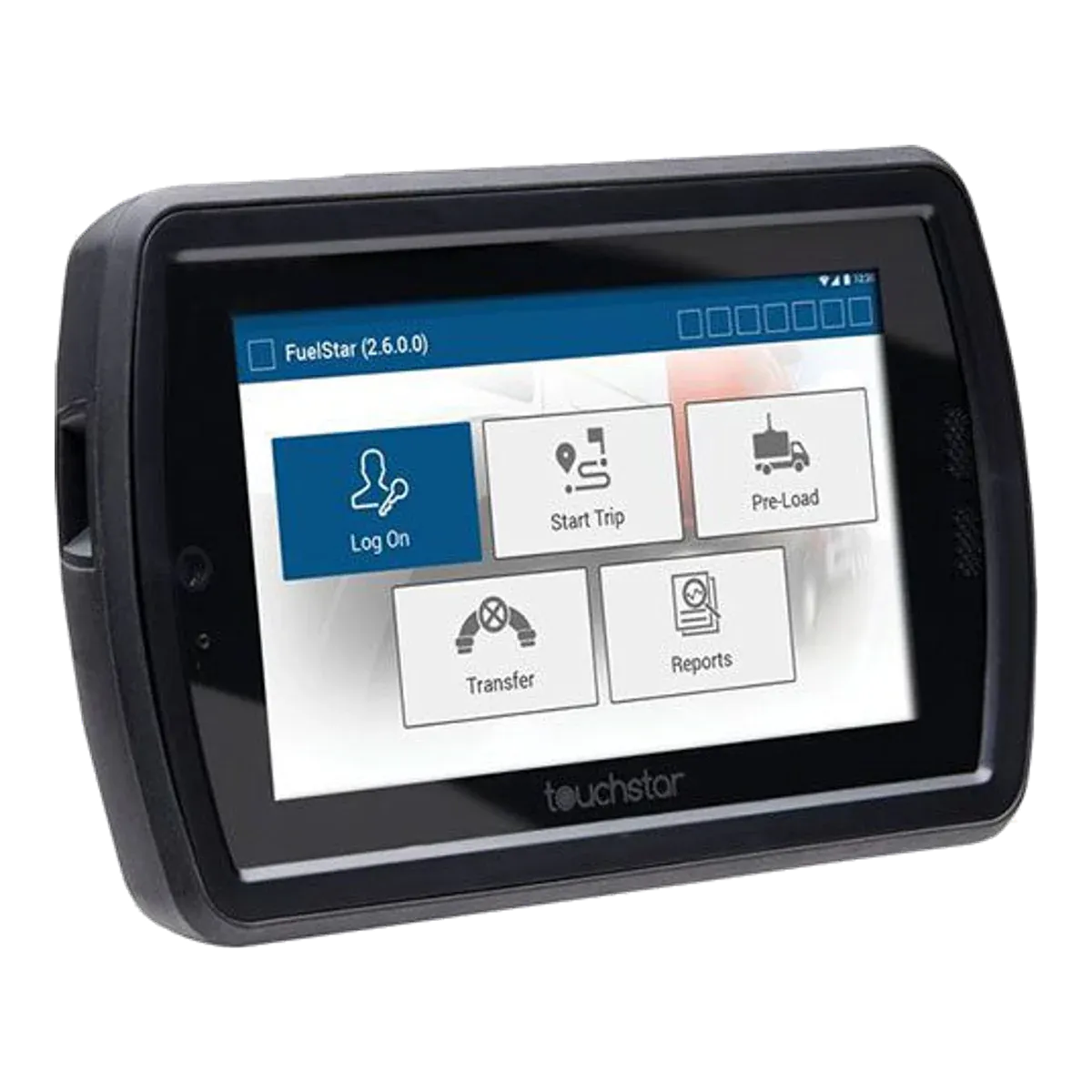
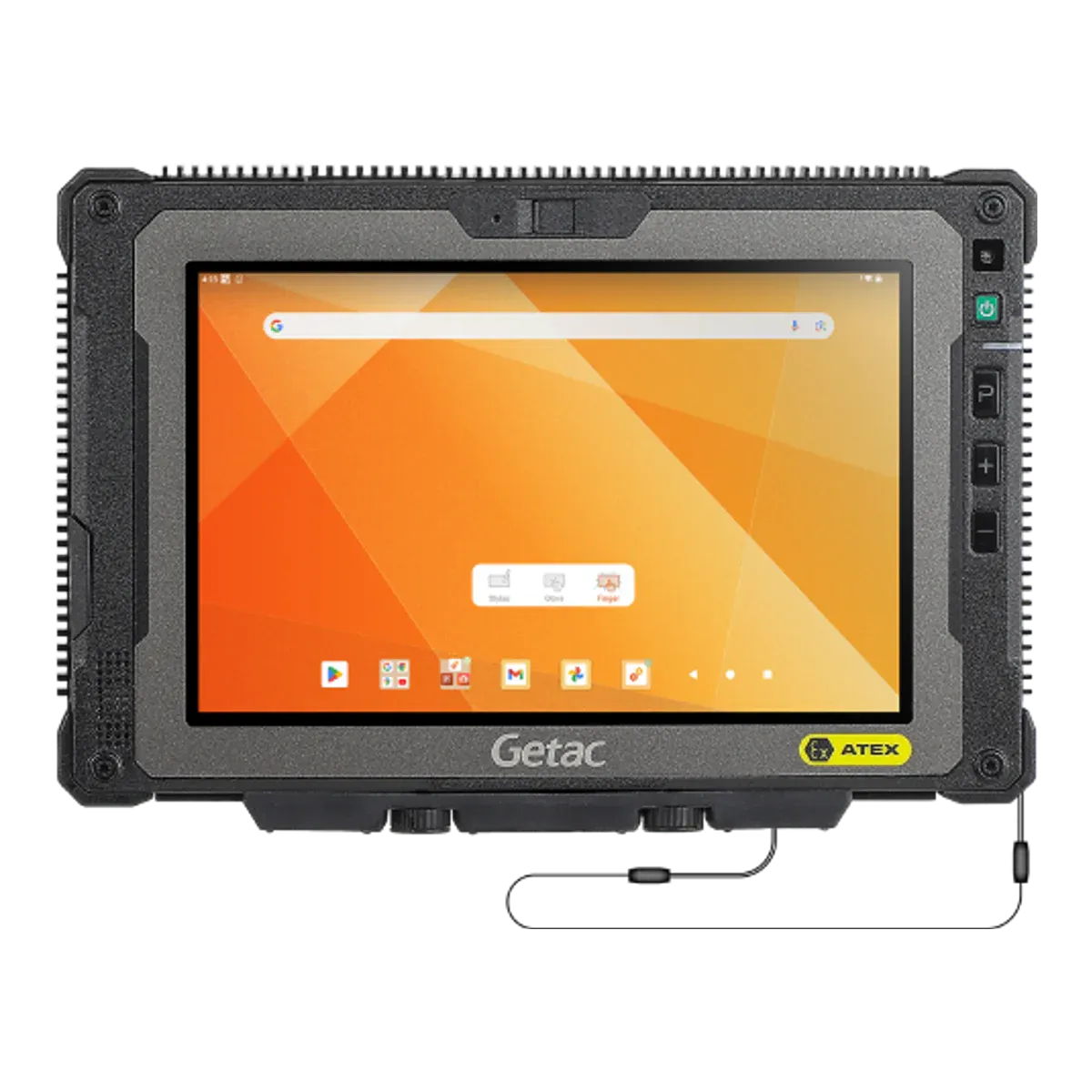
| ecom (Pepperl+Fuchs)ecom Tab-Ex 05 DZ2This tablet | ||||
|---|---|---|---|---|
| Type | Dedicated Ex tablet | Dedicated Ex tablet | Dedicated Ex tablet | Rugged tablet, Ex version |
| Screen size | 8-inch | 8-inch | 7-inch | 8-inch |
| Availability | Current | Current | Current | Current |
| Gas zones | Zone 2 | Zone 2 | Zone 2 | Zone 2 |
| Dust zones | Zone 22 | Zone 22 | Zone 22 | Zone 22 |
| Protection | Intrinsic safety (Ex ic) | Intrinsic safety (Ex ic) | Increased safety and intrinsic safety (Ex ec ic) | Intrinsic safety (Ex ic) with inherently safe optical radiation (op is) |
| Gas group | IIC | IIC | IIC | IIC |
| Temperature class | T5 (best in this comparison) | T4 | T5 (best in this comparison) | T4 |
| Certification | ATEX + IECEx | ATEX + IECEx | ATEX + IECEx | ATEX + IECEx |
| North America | Class I Division 2 | Class I Division 2 | — | — |
| Ambient temperature | −20 °C to +55 °C | −20 °C to +60 °C | −10 °C to +50 °C | −21 °C to +55 °C |
| Charging in the Ex area | Not allowed | Not allowed | Not allowed | Not allowed |
| Operating system | Android 16 | Android 14 | Android (version not published) | Android 15 |
| Security updates | Until Q1 2032 (best in this comparison) | Until Q1 2027 | — | Until February 2029 |
| Weight | 595 g (best in this comparison) | 890 g | 800 g | 780 g |
| Display | 8-inch TFT, capacitive multitouch, 60 Hz / adaptive up to 120 Hz; Corning Gorilla Glass 3 (DZ1/DZ2), Gorilla Glass 5 (D2) | 8-inch Glove-usable touch display; Corning Gorilla Glass V3 stated on the IS930.M1 page (not on the IS930.1 page) | 7-inch Colour TFT IPS, anti-glare, high-impact polycarbonate touchscreen | 8-inch TFT LCD wide viewing angle; Ex model has 0.6 mm thicker glass per ZX80W-EX press release |
| 5G | Yes | No | No | Yes |
| Pen / stylus | Samsung S Pen included (pressure sensitive), with Tab-Ex S Pen holder | — | Signature capture on the touchscreen | Digitizer pen |
| Replaceable battery | No | No | — | Yes |
| Hot-swap battery | — | No | — | Internal battery plus optional swappable 4990 mAh battery; hot-swap not stated for the Ex datasheet |
| Price | On request | On request | On request | On request |
FAQ
Common questions
Is the ecom Tab-Ex 05 DZ2 certified for Zone 1?
No. It is certified for Zone 2/22 only, so it can be used in Zone 2 but not in Zone 1.
Can the ecom Tab-Ex 05 DZ2 be used in Zone 0?
No. It is not certified for Zone 0. Zone 0 needs equipment with protection level Ga, such as Ex ia intrinsic safety.
What type of explosion protection does the ecom Tab-Ex 05 DZ2 use?
It is intrinsically safe: intrinsic safety (Ex ic). Intrinsic safety limits the electrical and thermal energy in the device below the level that could ignite the surrounding atmosphere.
What does T5 mean for the ecom Tab-Ex 05 DZ2?
Its surface stays below 100 °C, so it is suitable for gases that only ignite above that temperature. Check the ignition temperature of the substances on your site.
Can you charge the ecom Tab-Ex 05 DZ2 in a hazardous area?
No. The certificate only allows charging outside the hazardous area.
Which ports and accessories can be used with the ecom Tab-Ex 05 DZ2 in the hazardous area?
No wired connections in the Ex area (USB-C, POGO keyboard port). The 3.5 mm audio port may be used with intrinsically safe audio equipment matching its entity parameters (e.g. ecom HS-Ex 01 J).
What operating system does the ecom Tab-Ex 05 DZ2 run?
Android 16. Security updates until Q1 2032.
How much does the ecom Tab-Ex 05 DZ2 cost?
Prices for certified hazardous-area tablets depend on volume, configuration and region, so they are on request. Contact us for a price.
Notes on unconfirmed values
- From a single or secondary source; the maker doesn't state it for this model. Return to note 1
- ecom states security updates until 2032, which matches Samsung's Enterprise Edition commitment. Return to note 2
- From a single source; the maker's figures vary. Return to note 3
- From a single source. Return to note 4
Sources and verification
Facts last verified on against:
- ecom instruments GmbH / Pepperl+Fuchs SE: ATEX Certificate of Conformity EPS 24 ATEX 1 257 X, Rev 0 (2025-02-06), Tab-Ex 05 DZ2 (ecom CERT-7574)
- IECEx online certificate database (certifying body: Bureau Veritas CPS Germany; SIR certificates: Sira): IECEx EPS 24.0090X issue 0 (2025-02-06), Tab-Ex 05 DZ2
- IECEx online certificate database (certifying body: Bureau Veritas CPS Germany; SIR certificates: Sira): IECEx EPS 24.0082X issue 1 (2025-08-05), Tab-Ex 05 DZ1
- ecom instruments GmbH / Pepperl+Fuchs SE: Tab-Ex 05 DZ2 product page (Zone 2/22 & Div 2)
- ecom instruments GmbH / Pepperl+Fuchs SE: Tab-Ex 05 DZ1 product page (Zone 1/21 & Div 1)
- ecom instruments GmbH / Pepperl+Fuchs SE: ecom FAQ: Release Plans of Major Products (OS and security patch plan; last updated 2025-11-18)
- ecom instruments GmbH / Pepperl+Fuchs SE: Blog 2025-01-16: Tab-Ex 05, the latest 8-inch tablet from Pepperl+Fuchs, now with 5G
- Pepperl+Fuchs: News: 8-inch Tab-Ex 05 tablet sets new standards in 5G communication (Android updates up to Android 22, security updates up to 2032)
- Android Authority: This Galaxy device gets 8 years of OS updates from Samsung, but it's not for you (Tab Active5 Enterprise Edition vs standard: 8 years vs 4 OS updates / 5 years of patches)
Always check the certificate for your exact model before use. Spotted an error? Tell us.