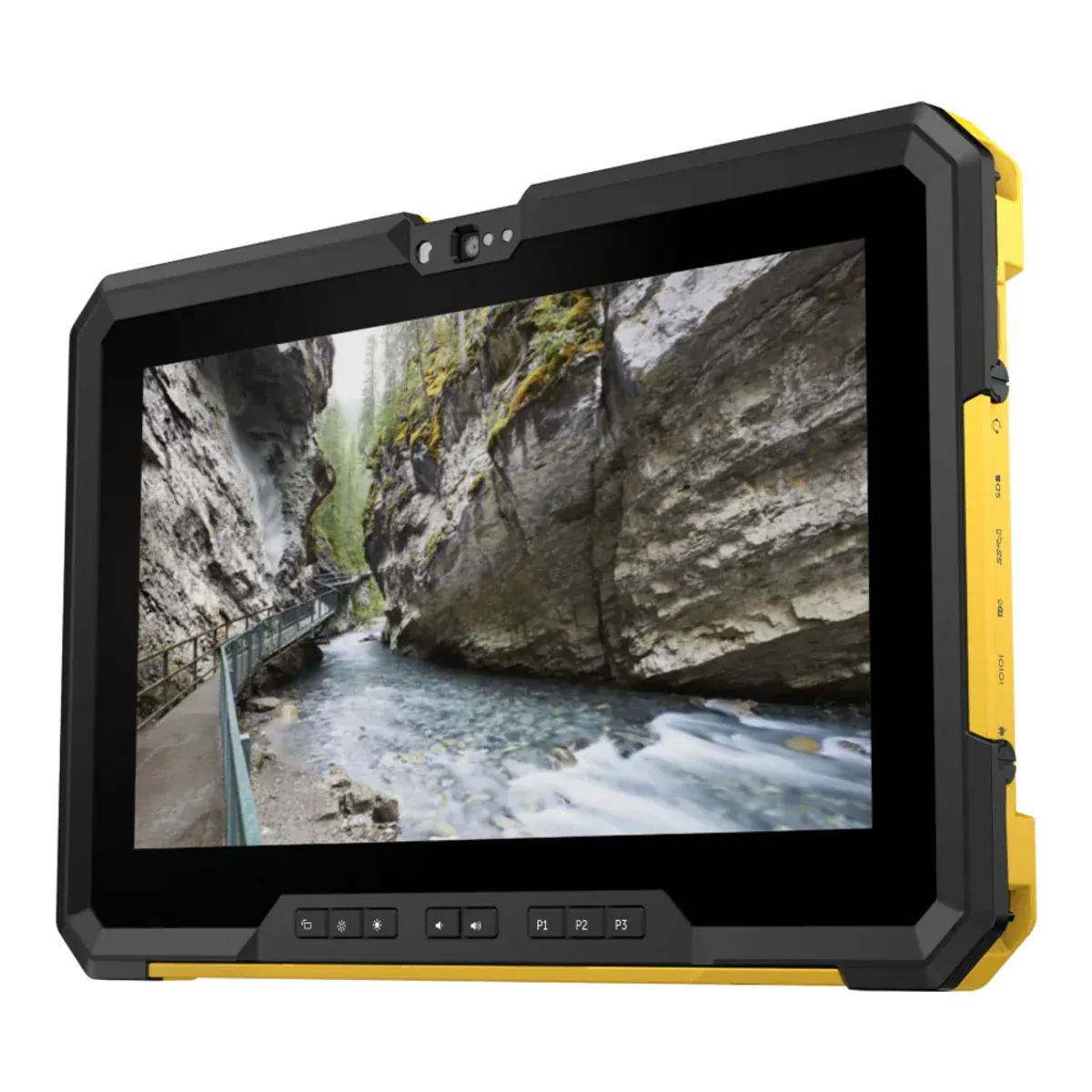
Dell · Rugged tablet, Ex version
Dell Latitude 7220EX
- Discontinued
- Zone 2/22
- ATEX
- IECEx
- IIC
- T4
Discontinued. No longer sold, and its IECEx certificate was cancelled in 2023. Dell has no Ex successor.
The Dell Latitude 7220EX is the hazardous-area version of a Dell rugged 11.6-inch tablet, certified for Zone 2/22 under IECEx. Dell also states ATEX certification, but the certificate isn't published. It is an intrinsically safe (Ex ic) design running Windows 11 Pro. It has been discontinued.
- Certified for
- Zone 2/22
- Protection
- Intrinsic safety (Ex ic)
- Screen
- 11.6-inch
- Temperature class
- T4 (≤ 135 °C)
- Ambient temperature
- −20 °C to +60 °C (IECEx TPS 19.0038X issue 0Unconfirmed, see note 1
- Operating system
- Windows 11 ProUnconfirmed, see note 2
- Security updates
- Supported while kept on a current Windows 11 version
- Weight
- 1650 gUnconfirmed, see note 3
- Price
- On request
Overview
Strengths and limitations
Strengths
- Certified for ambient temperatures up to +60 °C
Limitations
- No longer in the maker's current range
- Zone 2 only, so not for Zone 1 areas
- T4 temperature class: fine for most gases, but not those that ignite below 135 °C
- Dust group IIIB: combustible flyings and non-conductive dust only, not conductive dust
- Battery isn't user-replaceable
Certification
Where you can use it
Gas
- Zone 0not certified.Explosive gas present continuously or for long periods
- Zone 1not certified.Explosive gas likely in normal operation
- Zone 2certified.Explosive gas unlikely, and only briefly
Dust
- Zone 20not certified.Combustible dust present continuously or for long periods
- Zone 21not certified.Combustible dust likely in normal operation
- Zone 22certified.Combustible dust unlikely, and only briefly
The Ex marking, decoded
Gas atmospheresZone 2
ExicIICT4Gc
ExExplosion protected- Certified to the IEC 60079 / EN 60079 series.
icProtection type- Intrinsic safety, level "ic": safe in normal operation. Zone 2 only.
IICGas group- Gas group IIC, e.g. hydrogen and acetylene. The most demanding group; also covers IIA and IIB.
T4Temperature class- Surface stays below 135 °C. T6 is the strictest class.
GcProtection level- Equipment protection level Gc (enhanced): suitable for Zone 2.
Dust atmospheresZone 22
ExicIIIBT130°CDc
IIIBDust group- Dust group IIIB: non-conductive dust. Also covers IIIA.
T130°CMax surface temperature- Surface stays below 130°C in dust.
DcProtection level- Equipment protection level Dc (enhanced): suitable for Zone 22.
Exic as above.
Gas atmospheresZone 2
ExicIICT4Gc
ExExplosion protected- Certified to the IEC 60079 / EN 60079 series.
icProtection type- Intrinsic safety, level "ic": safe in normal operation. Zone 2 only.
IICGas group- Gas group IIC, e.g. hydrogen and acetylene. The most demanding group; also covers IIA and IIB.
T4Temperature class- Surface stays below 135 °C. T6 is the strictest class.
GcProtection level- Equipment protection level Gc (enhanced): suitable for Zone 2.
Dust atmospheresZone 22
ExicIIIBT130°CDc
IIIBDust group- Dust group IIIB: non-conductive dust. Also covers IIIA.
T130°CMax surface temperature- Surface stays below 130°C in dust.
DcProtection level- Equipment protection level Dc (enhanced): suitable for Zone 22.
Exic as above.
Safe use
Rules for the hazardous area
- Ambient temperature (Ta)
- −20 °C to +60 °C (IECEx TPS 19.0038X issue 0Unconfirmed, see note 1
- Charging
- Outside the hazardous area only
- Battery swap
- Outside the hazardous area only
- Ports and accessories in the zone
- All external interfaces must remain closed and no I/O accessories may be connected in the explosive atmosphere.
- Operating temperature
- −29 °C to +63 °C (Dell, general range
Conditions of use
The equipment does not meet the dielectric strength requirement and must not be connected to or disconnected from external devices or interfaces in explosive atmospheres. All external interfaces closed in operation; I/O accessories not allowed. Use only the listed Dell 45 W, 65 W or 90 W power adapters. The integrated Li-ion battery pack must not be replaced or adjusted by users. Repair only by Dell.
Specifications
Full specifications
Certification
- ATEX marking
- Ex ic IIC T4 Gc / Ex ic IIIB T130°C DcUnconfirmed, see note 4
- ATEX certificate
- Not published
- IECEx marking
- Ex ic IIC T4 Gc / Ex ic IIIB T130°C DcUnconfirmed, see note 4
- IECEx certificate
- IECEx TPS 19.0038X (Issue 3, 2021-11-08)
- Other approvals
- ATEX and IECEx Zone 2 and Zone 22 (Dell marketing); IP65 (Notebookcheck)
- North America
- Class I Division 2 expected on the base model (Dell blog Dec 2019, via research); not verifiedUnconfirmed, see note 5
- Protection level (EPL)
- Gc / Dc
- Dust group
- IIIB
- Max surface temperature (dust)
- 130 °C
Device
- Type
- Rugged tablet, Ex version
- Launched
- 2019Unconfirmed, see note 6
- Operating system
- Windows 11 ProUnconfirmed, see note 2
- Edition
- Windows 10 Pro as shipped; Windows 11 Pro 64-bit also supported by Dell
- OS at launch
- Windows 10 Pro
- OS upgrades
- Dell validates Windows 11 up to 25H2; no last supported version stated. Core i5-8365U is an 8th-generation Core i5, on Microsoft's Windows 11 supported listUnconfirmed, see note 2
- Security updates
- Supported while kept on a current Windows 11 version
- Processor
- Intel Core i5-8365U vPro (8th gen, 4 cores, 1.6 GHz base, up to 4.1 GHz)
- Processor architecture
- x86
- Memory (RAM)
- 8 LPDDR3 2133
- Storage
- 512 GB M.2 GB PCIe NVMe
Field capabilities
- Remote expert / video calls
- Via app
- Windows desktop software
- Built in (Windows 10 Pro, x86; out of support)
Display and camera
- Display
- 11.6-inch
- Resolution
- 1920 × 1080 (FHD)
- Brightness
- 1000 nits
- Touch
- Glove-touch support (Dell blog snippet)
Physical and power
- Weight
- 1650 gUnconfirmed, see note 3
- Dimensions
- 323.4 × 214.2 × 28.9 mm
- Ingress protection
- IP65Unconfirmed, see note 7
- Ruggedness
- MIL-STD-810G and MIL-STD-810H tested (Dell); drop height not stated in the guide
- Battery energy
- 34 Wh
- Replaceable battery
- No
Controls & Accessibility
- Glove touch
- Yes
Fleet and support
- Manufacturer
- Dell Technologies, USA
Only specifications we could check are listed. A numbered marker next to a value means it is unconfirmed: it comes from a single or secondary source, or sources disagree. The matching note at the foot of the page explains each one. See the Dell Technologies website for the full data sheet.
Compare
How it compares
Best in this comparison
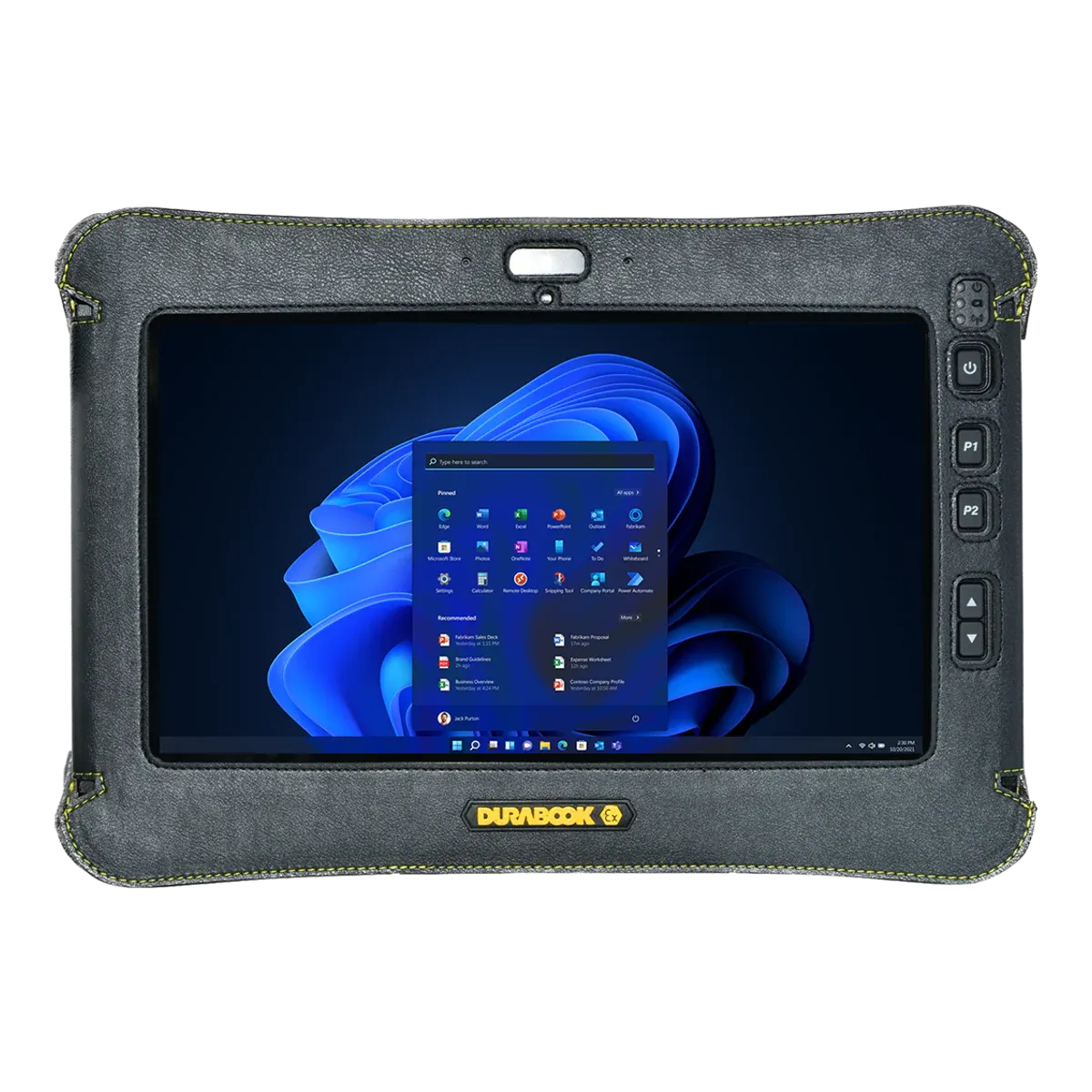
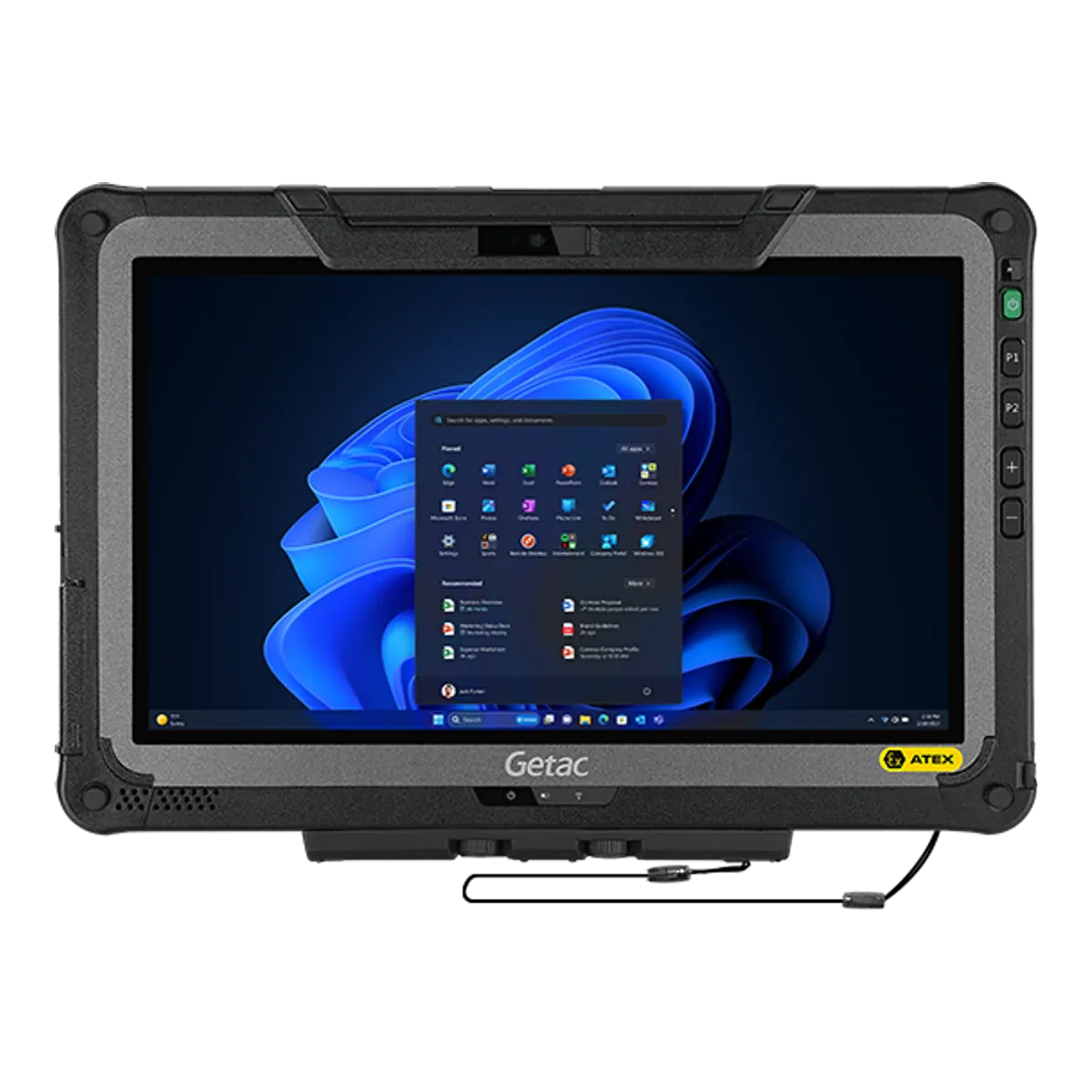
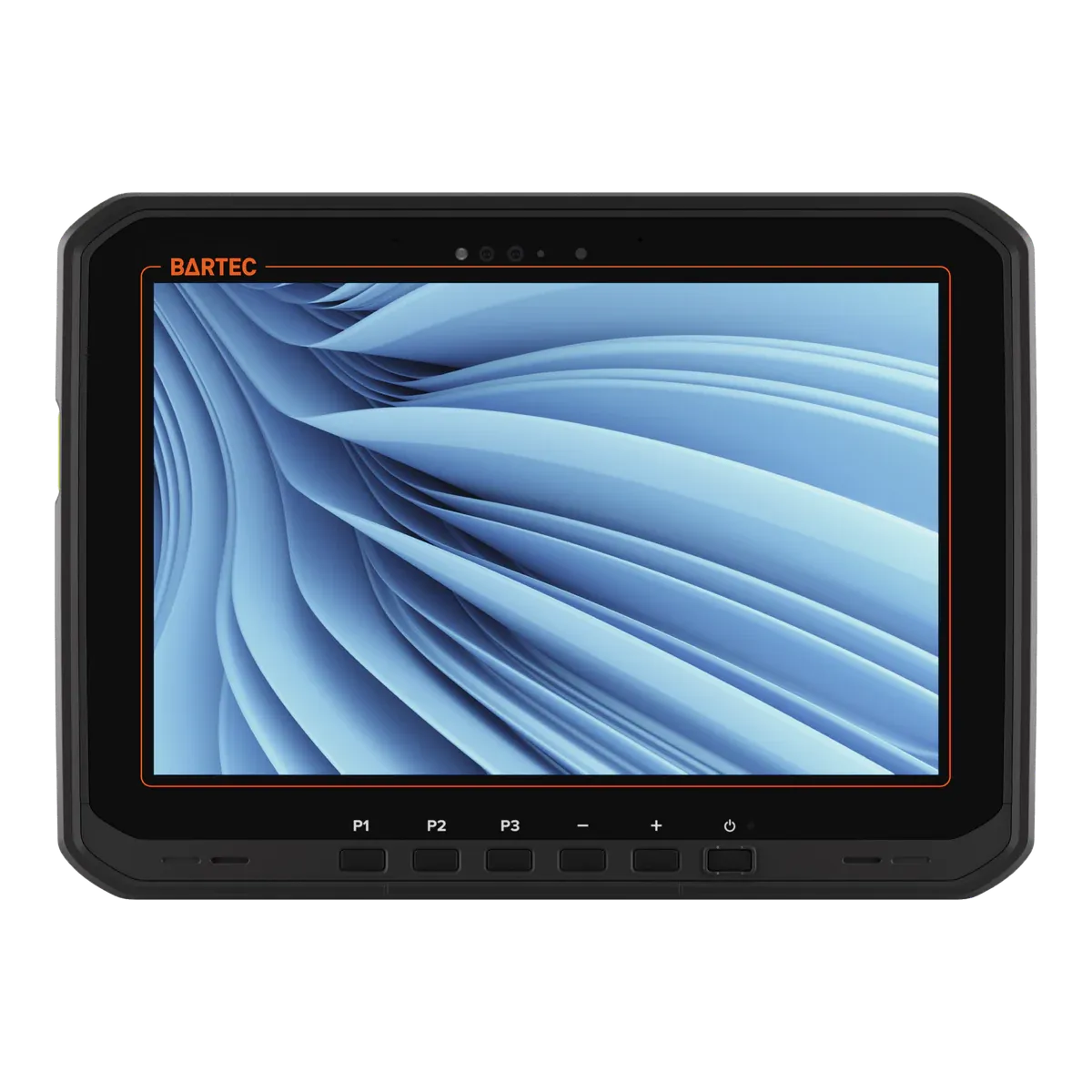
| DellDell Latitude 7220EXThis tablet | ||||
|---|---|---|---|---|
| Type | Rugged tablet, Ex version | Rugged tablet, Ex version | Rugged tablet, Ex version | Rugged tablet, Ex version |
| Screen size | 11.6-inch | 11.6-inch | 11.6-inch | 10.1-inch |
| Availability | Discontinued | Current | Current | Current |
| Gas zones | Zone 2 | Zone 2 | Zone 2 | Zone 2 |
| Dust zones | Zone 22 | Zone 22 | Zone 22 | Zone 22 |
| Protection | Intrinsic safety (Ex ic) | Intrinsic safety (Ex ic) | Intrinsic safety (Ex ic) with inherently safe optical radiation (op is) | Intrinsic safety (Ex ic) with inherently safe optical radiation (op is) |
| Gas group | IIC | IIC | IIC | IIC |
| Temperature class | T4 | T4 | T4 | T4 |
| Certification | ATEX + IECEx | ATEX | ATEX + IECEx | ATEX + IECEx |
| North America | — | — | — | — |
| Ambient temperature | −20 °C to +60 °C (IECEx TPS 19.0038X issue 0 | — | −21 °C to +60 °C | −20 °C to +55 °C |
| Charging in the Ex area | Not allowed | Not allowed | Not allowed | Not allowed |
| Operating system | Windows 11 Pro | Windows 11 Pro | Windows 11 Pro | Windows 11 Professional |
| Security updates | Supported while kept on a current Windows 11 version | Supported while kept on a current Windows 11 version | Supported while kept on a current Windows 11 version | Supported while kept on a current Windows 11 version |
| Weight | 1650 g | 1490 g | 1680 g | 1200 g (best in this comparison) |
| Display | 11.6-inch | 11.6-inch | 11.6-inch TFT LCD, wide viewing angle, LumiBond optically bonded | 10.1-inch Optically bonded capacitive multi-touch, Corning Gorilla Glass, contrast 1000:1 |
| 5G | — | Yes | Yes | Yes |
| Pen / stylus | — | Optional digitizer | Yes, digitizer pen with tether (dual-mode touch) | Passive stylus included (AI-powered touch control) |
| Replaceable battery | No | Yes | Yes | Yes |
| Hot-swap battery | — | Optional bridge battery, 5 minute swap | Yes, "LifeSupport battery swappable technology" (non-hazardous areas only) | Yes (true hot swap, minimum 60 seconds) |
| Price | On request | On request | On request | On request |
FAQ
Common questions
Is the Dell Latitude 7220EX certified for Zone 1?
No. It is certified for Zone 2/22 only, so it can be used in Zone 2 but not in Zone 1.
Can the Dell Latitude 7220EX be used in Zone 0?
No. It is not certified for Zone 0. Zone 0 needs equipment with protection level Ga, such as Ex ia intrinsic safety.
What type of explosion protection does the Dell Latitude 7220EX use?
It is intrinsically safe: intrinsic safety (Ex ic). Intrinsic safety limits the electrical and thermal energy in the device below the level that could ignite the surrounding atmosphere.
What does T4 mean for the Dell Latitude 7220EX?
Its surface stays below 135 °C, so it is suitable for gases that only ignite above that temperature. Check the ignition temperature of the substances on your site.
Can you charge the Dell Latitude 7220EX in a hazardous area?
No. The certificate only allows charging outside the hazardous area.
Which ports and accessories can be used with the Dell Latitude 7220EX in the hazardous area?
All external interfaces must remain closed and no I/O accessories may be connected in the explosive atmosphere.
What operating system does the Dell Latitude 7220EX run?
Windows 11 Pro. Windows 11 has no fixed end date: Microsoft supports each version for about two years, so it keeps getting security updates while it's kept on a current version.
Is the Dell Latitude 7220EX still available?
No. No longer sold, and its IECEx certificate was cancelled in 2023. Dell has no Ex successor.
How much does the Dell Latitude 7220EX cost?
Prices for certified hazardous-area tablets depend on volume, configuration and region, so they are on request. Contact us for a price.
Notes on unconfirmed values
- Stated in the first issue of the IECEx certificate only; later issues don't repeat it. Return to note 1
- From a single or secondary source; the maker doesn't state it for this model. Return to note 2
- From a single source; the maker's figures vary. Return to note 3
- From the IECEx certificate (cancelled in 2023); Dell's ATEX certificate isn't published. Return to note 4
- From the maker's published information; we haven't seen the North American certificate. Return to note 5
- Approximate: the maker doesn't publish a launch date. Based on the certificate date or the maker's announcement. Return to note 6
- From a single source; not stated in the Ex certificate. Return to note 7
Sources and verification
Facts last verified on against:
- IECEx / TUV SUD (TPS): IECEx TPS 19.0038X issue 3 (Dell Latitude 7220EX), 2021-11-08, CANCELLED 2023-06-22
- Microsoft: Lifecycle: Windows 10 Home and Pro (22H2 end listed 10/15/2025)
- ATEXshop: Dell Latitude 7220EX Rugged/ATEX product page (EOL notice, specs)
- Techaeris: Article 2019-12-21: Dell Latitude 7220EX Rugged Extreme (URL from research file 02, not re-fetched)
- Notebookcheck: Dell Latitude 7220EX Rugged Extreme review snippet (IP65, Core i5-8365U), seen in a web-search summary only, page not fetched
Always check the certificate for your exact model before use. Spotted an error? Tell us.